Help topics
Watch a build and use the result page
After you confirm, Forge opens the build page. You can watch the model appear part by part, or close the tab and come back.
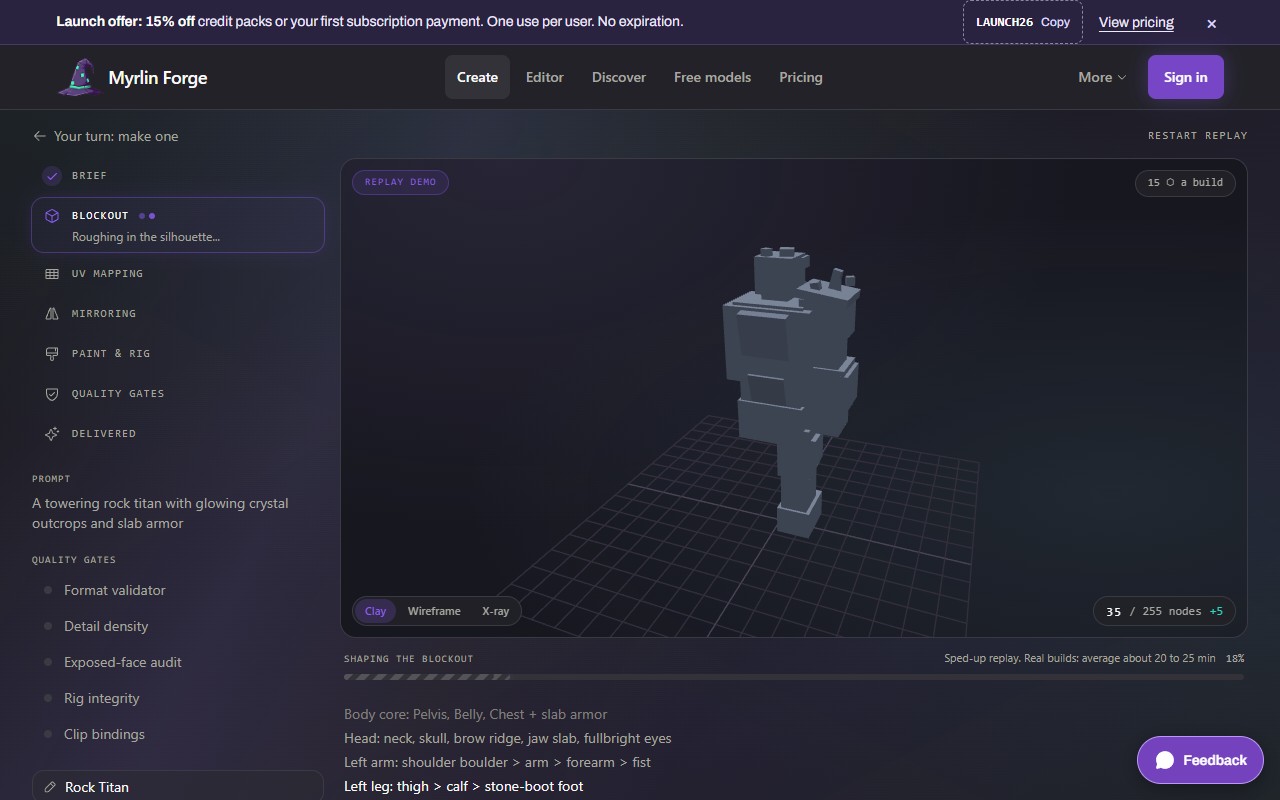
Watch it build
The left side lists the stages: Brief, Blockout, UV mapping, Mirroring, Paint & rig, Quality gates, Delivered. The middle shows the model as it grows. The title of the browser tab shows the stage too, for example "(2/7) Forging".
Switch the view with Textured, Clay, Wireframe and X-ray under the model. The count bottom right is the number of parts (nodes) out of the 255 a Hytale model may have.
Five quality gates check the model before it is delivered: Format validator, Detail density, Exposed-face audit, Rig integrity and Clip bindings.
 (opens the full picture in a new tab)
You can see all of this without an account in Forge's recorded build of the Rock Titan: forge.myrlin.io/studio/demo/titan (also "Open it in Create" on the home page).
Come back later
Builds (forge.myrlin.io/studio/history) lists every build and where it is.
My assets shows every delivered model, see My assets: your models in one place.
Keep the build page's address if you want a direct link; only your account can see a build of yours.
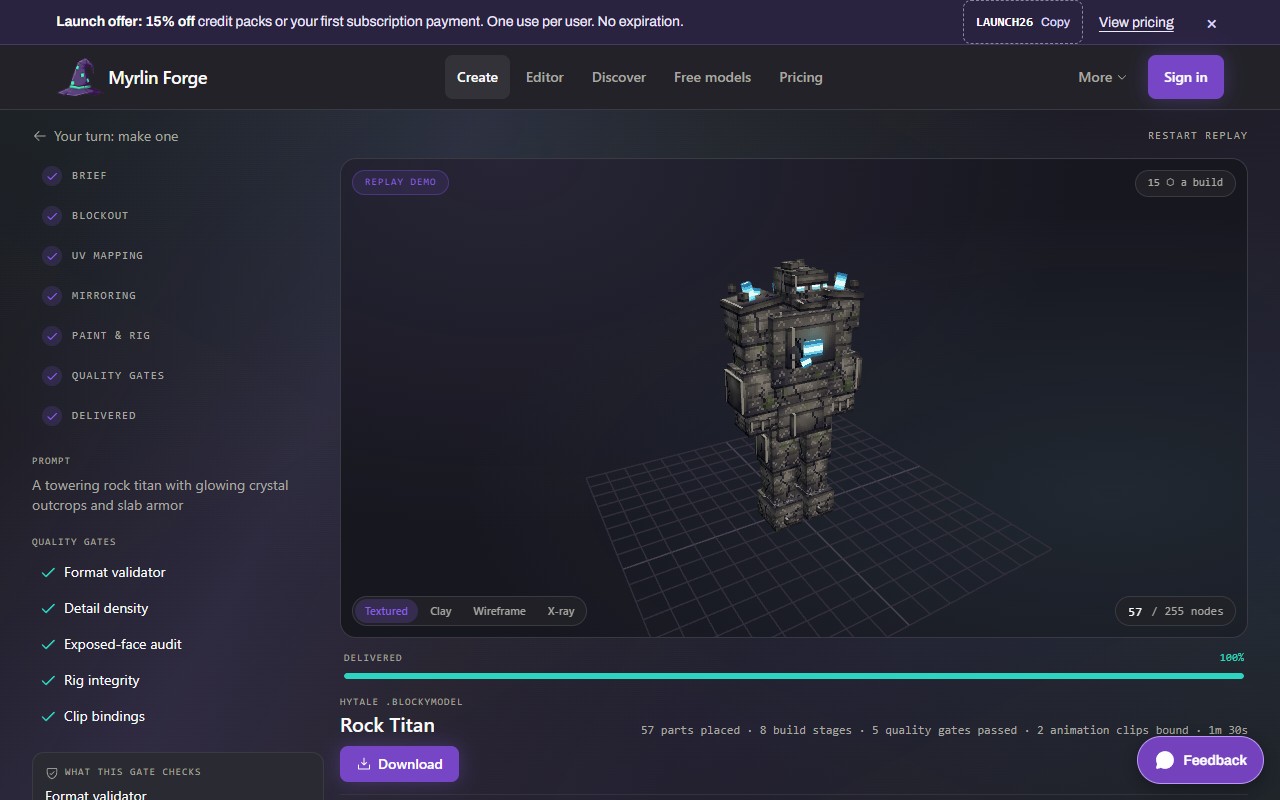
The result
When the build is done the page says Delivered and shows the model, the parts placed, the gates passed and any animation clips.
 (opens the full picture in a new tab)
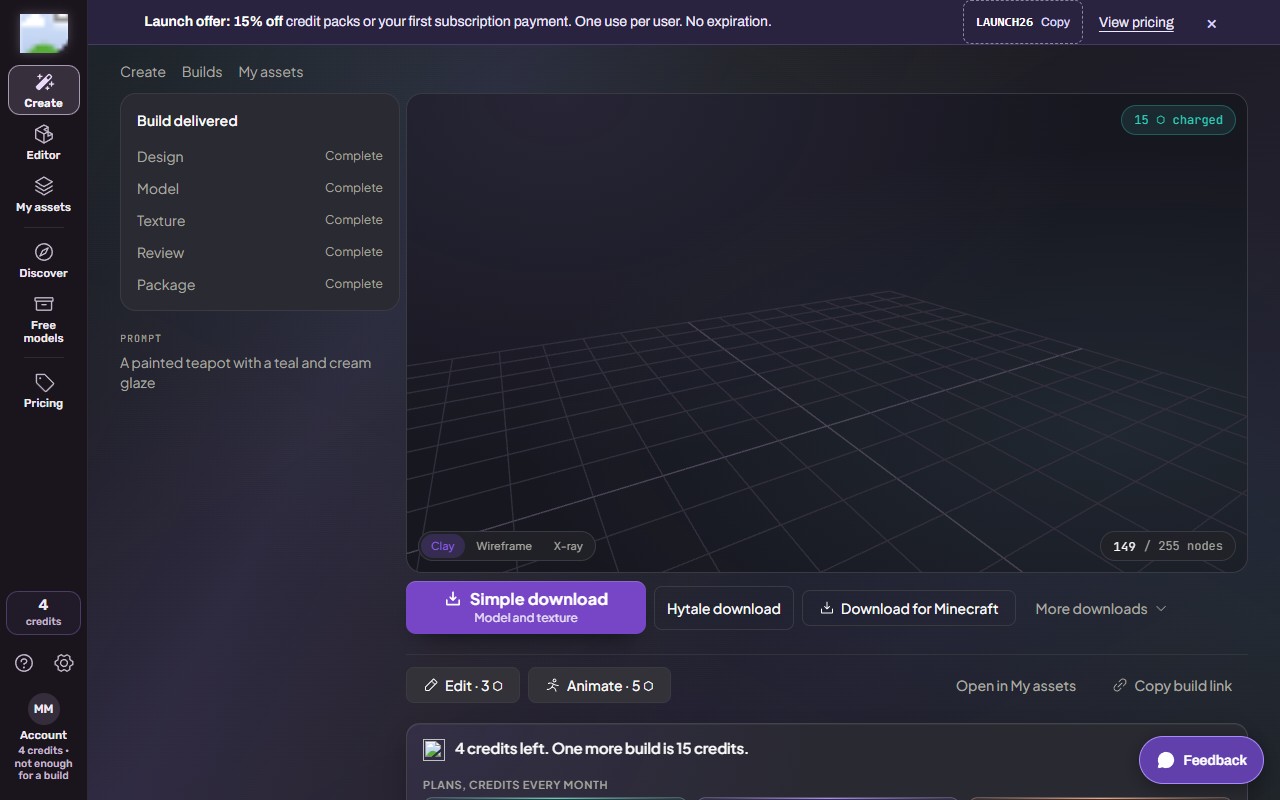
Under the model:
 (opens the full picture in a new tab)
Simple download, Model and texture: one ZIP with the .blockymodel and its PNG. The quickest way to get your files.
Hytale download: the drop-in pack for Hytale's Mods folder. See Put your model in Hytale (the drop-in pack).
Download for Minecraft: a resource pack, data pack or mod. See Put your model in Minecraft Java.
More downloads: the All files ZIP and other 3D formats. See Downloads: which one to pick.
Edit and Animate (each shows its price) change the model or add a moving clip. See Add an animation or an effect to a model.
Open in My assets and Copy build link.
Versions: after an edit or an animation, the chips switch between the model's versions.
If your balance is under one build when a build is delivered, a card under the buttons says so ("4 credits left. One more build is 15 credits.") with the plans, the packs, Buy credits and See plans. The x closes it. It never covers your model or its downloads.
On a phone
The stages fold above the model and the buttons stack under it.
What it costs
Watching and downloading your own build are free. The build itself was 15 credits, charged when it was accepted and refunded if it failed. Edit, Animate and Effects show their own price before you confirm.
If it does not work
The page says Sign in
A build belongs to the account that started it. Sign in with that account.
It has been more than 30 minutes
Busy times take longer. The page keeps updating; you can close it and look in Builds later.
The build failed
The page says why, and the credits are back in your balance. Change the description and try again.
A download button does nothing
Wait for the page to finish loading, then try again; see Downloads: which one to pick.
Still stuck? Contact support