Help topics
Make a model from a picture (reference pictures)
Give Forge a picture of what you want: a drawing, a screenshot, a photo of a toy. Forge uses it as the reference for the shape and colours. A description is optional, but a short one helps ("the dragon only, not the rider").
Steps
Open Create, keep the 3D model tab, and choose the Game.
Press Reference image (optional) under the description box, or drop a picture onto the box.
Choose a JPG, PNG or WebP picture up to 8 MB. Big pictures are shrunk to 2048 pixels on their long side before they are sent.
The picture shows in the box with a small x to remove it. The description box now says "Optional: say what you want from the picture". Type what matters, for example which object in the picture you mean.
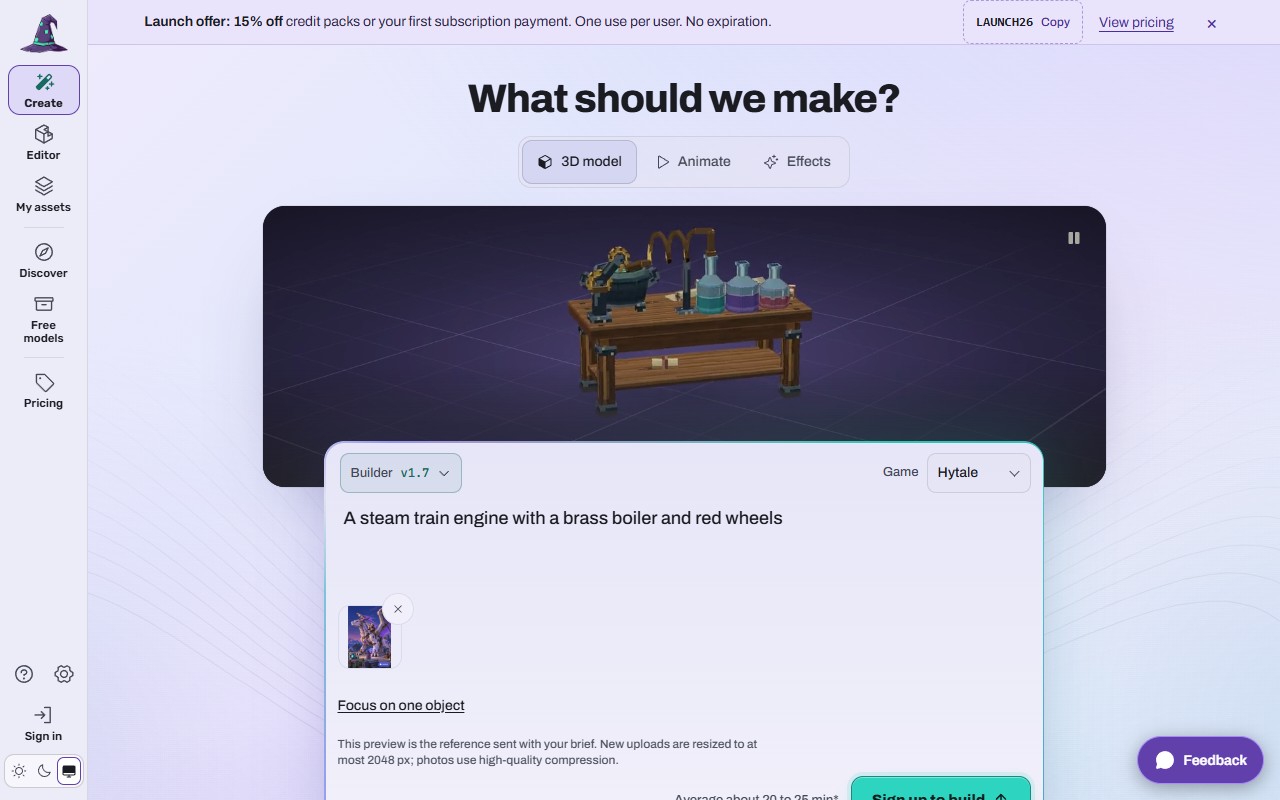 (opens the full picture in a new tab)
Optional: press Focus on one object to crop the picture to the one thing you want, then Use cropped reference. Reset crop goes back to the whole picture.
Press Build it, check the price and Confirm, as in Make a model from a description.
There is a guide for Minecraft players at forge.myrlin.io/image-to-minecraft-model, and its button opens Create ready for a picture.
On a phone
Reference image (optional) opens your phone's photo picker, so you can take a photo or pick one from your gallery.
What it costs
The same as a model from text: 15 credits, shown before you confirm and refunded if the build fails. Adding a reference picture costs nothing, works on every account, and needs no plan. (Uploading finished model files is different, see Upload your own model files (plan holders).)
If it does not work
"Choose a JPG, PNG or WebP image up to 8 MB."
The file is another type (HEIC, GIF, BMP) or too big. Save it as JPG or PNG and try again.
The model copies the background or a second object
Use Focus on one object to crop, or say "only the ..." in the description.
The picture disappeared after you signed up
Add it again; the description is kept, a large picture may not be.
Use only pictures you have the right to use.
Still stuck? Contact support