Help topics
Downloads: which one to pick
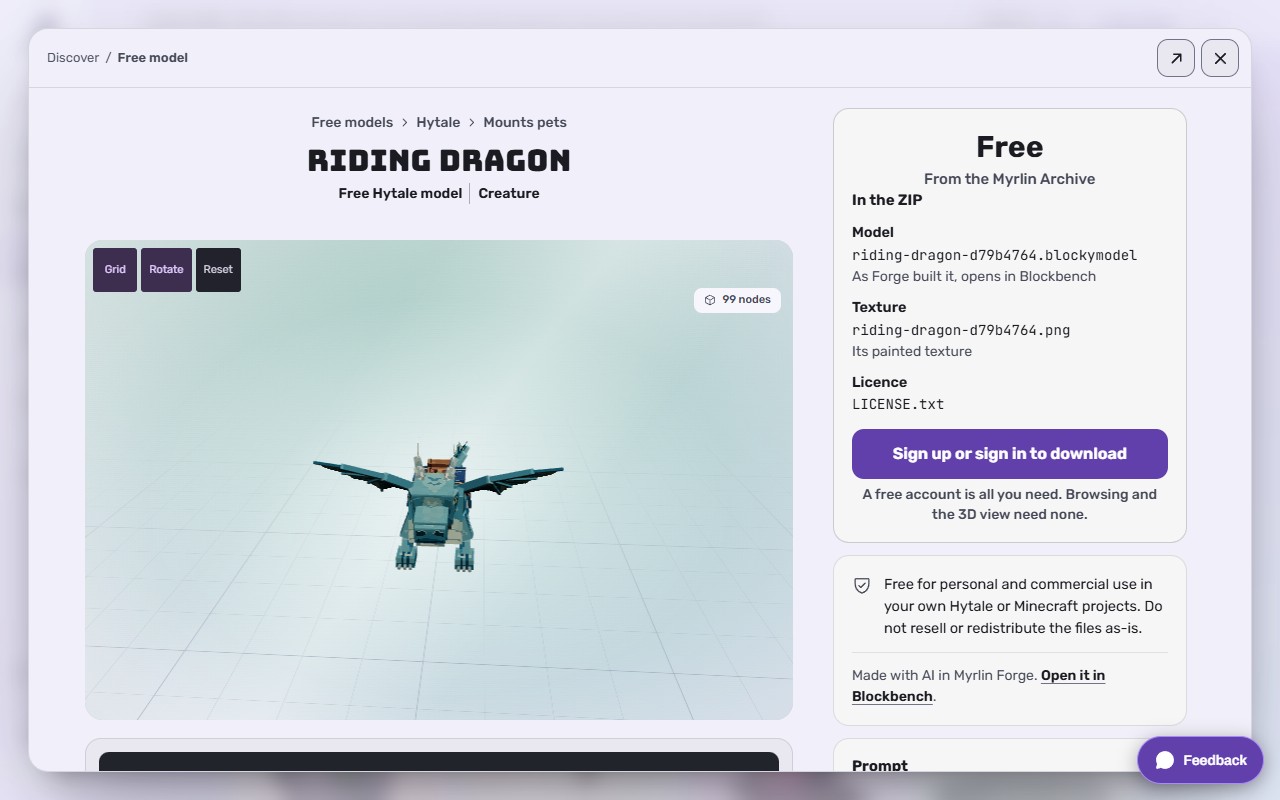
Every model can be downloaded several ways. They hold the same model; they differ in what is packed around it. You find the same choices on the build page, in My assets, and on a model's page in Discover.
| You want to | Pick | You get |
|---|---|---|
| Just the files, quickly | Simple download ("Model and texture") | One ZIP: the .blockymodel and its PNG texture. Opens in Blockbench. No animations, packs or game setup. For a Minecraft model this is a Blockbench file: one .bbmodel with the texture inside, at Minecraft size |
| Play it in Hytale | Hytale pack / Download for Hytale | A drop-in ZIP for Hytale's Mods folder, with the model, texture, every saved animation clip, effects converted for Hytale, and an icon. See Put your model in Hytale (the drop-in pack) |
| Play it in Minecraft Java | Minecraft Java / Download for Minecraft | A resource pack (items, hats, decorations), a data pack that plays the animations without mods, or a mod for Forge, NeoForge or Fabric. Forge checks which fit your model. Not on Bedrock yet. See Put your model in Minecraft Java |
| Keep editing in Blockbench or another 3D tool | More formats | The All files ZIP (model, texture, clips in Animations/, effects in Effects/, icons, angle pictures, sprites and a README with the description), and 3D formats: GLB, glTF, OBJ, FBX, STL and PLY. The 3D formats are a still model, without animations or effects. See Open and edit your model in Blockbench |
 (opens the full picture in a new tab)
Steps (a model page in Discover)
Open a model from Discover or Free models.
In the Get this model card, pick a download. The one picked shows what is inside.
Press the button under the list. Signed out it reads Sign up or sign in to download on a free model; on a member's model the downloads are frosted until you add it (Sign in to add it, see Models made by other members (6 credits)).
Steps (your own model)
On the build page, press Simple download, Hytale download, Download for Minecraft or More downloads.
Or in My assets, select the model; under Use it in your game pick Simple download, Download for Hytale, Download for Minecraft, More ways to use it (for each game) or Other formats. How to install shows the steps for your game and your computer (Windows or Mac).
Every game download carries a README.txt with the same install steps.
Files you can try without an account
The mining mech on the home page ("Your files go with you"): Download model (.blockymodel, 103 parts) and Download texture (PNG, 256 by 256).
The Rock Titan replay (forge.myrlin.io/studio/demo/titan): Download gives Rock_Titan.blockymodel, its texture and two .blockyanim clips (Idle and Slam).
The painted teapot example: forge.myrlin.io/examples/painted-teapot.
What it costs
Downloading your own models is free, as often as you like, in every format. Free models from the Archive are free with an account (free accounts get a set number a week). A model made by another member costs 6 credits once; then every format is yours.
If it does not work
Nothing downloads
Let the page finish loading, then press again. Some downloads are built on the spot and take a few seconds ("Building ZIP...").
The ZIP opens as an empty folder in Hytale
Hytale wants the ZIP still zipped. See Put your model in Hytale (the drop-in pack).
Minecraft says the pack is incompatible
Pick your Minecraft version under Change, then download again.
A 3D format has no animation
GLB, OBJ and the others are still models. Use the Hytale pack, the Minecraft data pack or the All files ZIP for clips.
Still stuck? Contact support