Help topics
Free models: Myrlin's Archive
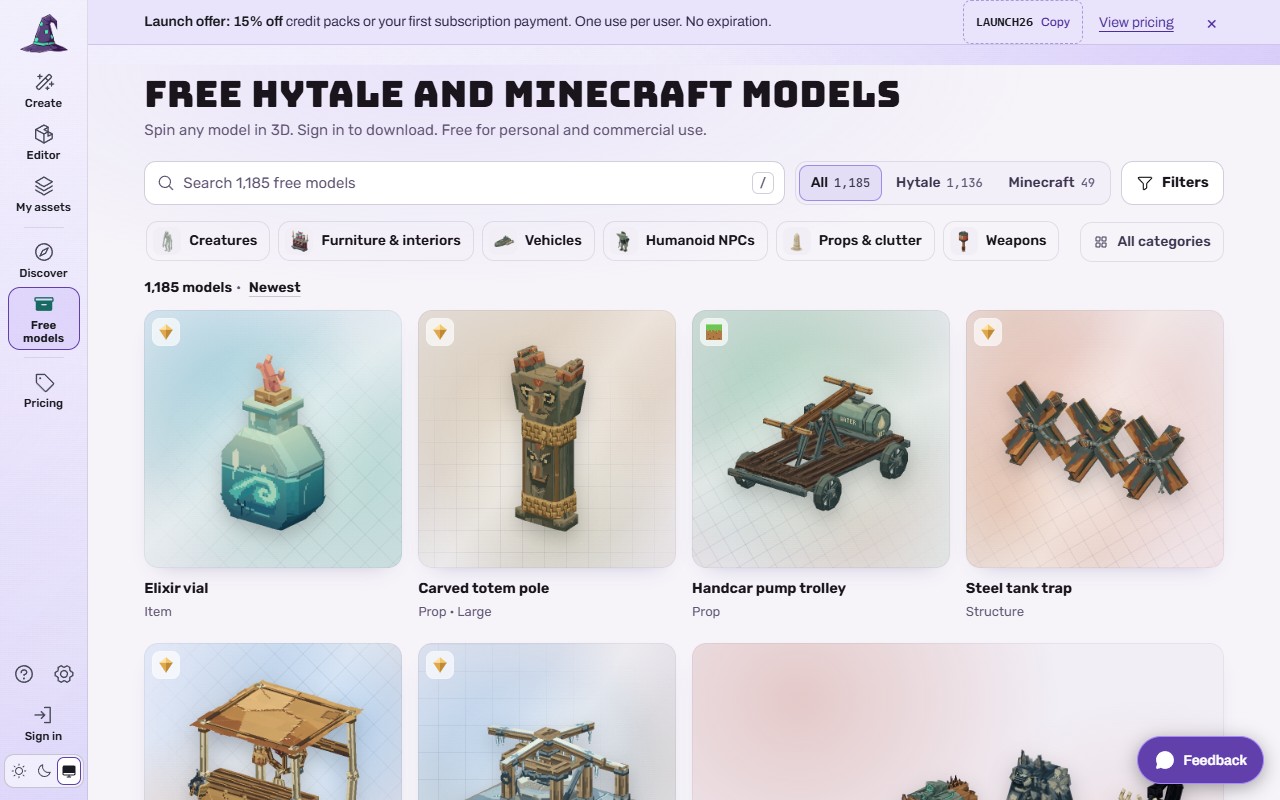
The Archive is Myrlin's own collection of free models: 1,185 on 2026-11-04 (1,136 for Hytale and 49 for Minecraft), with new ones every Monday. You can use them in your own projects, paid ones included.
 (opens the full picture in a new tab)
Steps
Open Free models (left rail, or the bottom bar on a phone).
Search, pick a game (All, Hytale, Minecraft), a category (Creatures, Furniture & interiors, Vehicles, Humanoid NPCs, Props & clutter, Weapons, Machines & tech, or All categories) and a sort.
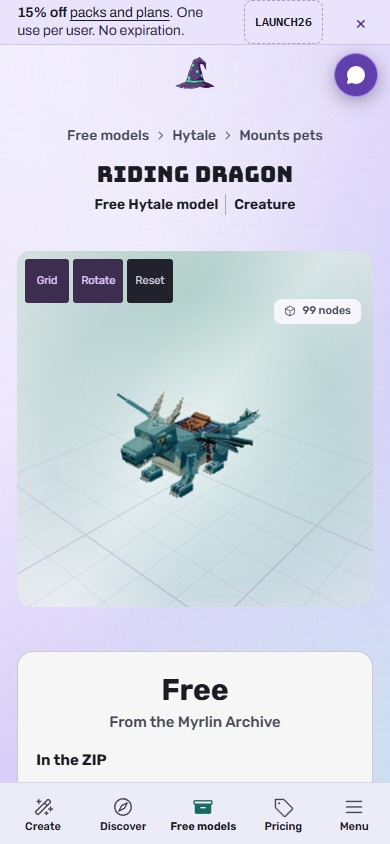
Open a model. Spin it in 3D (Grid, Rotate, Reset), see it from eight angles, and read In the ZIP: the .blockymodel, its PNG texture, LICENSE.txt, and for a Minecraft model the Java resource pack and data pack.
 (opens the full picture in a new tab)
Press Download free. Signed out the button reads Sign up or sign in to download; it takes you to the sign-in card (with a Sign up link) and back to the model.
The model is added to your account and the ZIP downloads. Install it like your own: Put your model in Hytale (the drop-in pack), Put your model in Minecraft Java or Open and edit your model in Blockbench.
Use this prompt puts the model's description in Create so you can make your own version; Make one like this on a card does the same.
The licence
Free for personal and commercial use in your own Hytale or Minecraft projects. Do not resell or redistribute the files as they are, and do not use them to train an AI. The full words are at forge.myrlin.io/terms#licence.
What it costs
No credits. You need a free account. Each plan gets a number of free models a week, added to your account: Free 3, Creator 10, Pro 30, Max unlimited (new ones every Monday; you can download a model you already added again any time).
If it does not work
"Sign up or sign in to download" sends you to a sign-in card
That is expected. New here? Press Sign up under the card.
You used this week's free models
Wait for Monday, or choose a plan for more.
The download is a ZIP with two more ZIPs inside (Minecraft)
That is the resource pack and the data pack; see Put your model in Minecraft Java.
Still stuck? Contact support