Help topics
Discover: browse and search every public model
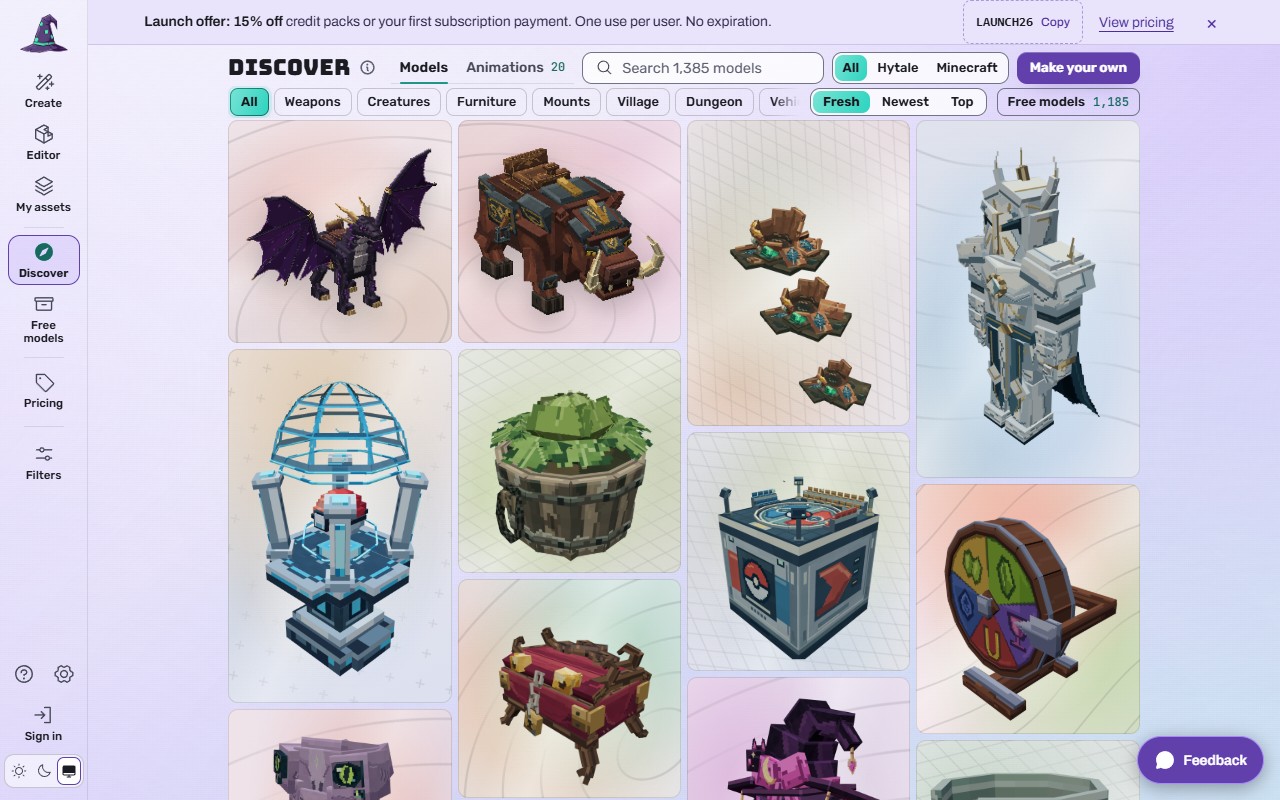
Discover shows every public model on Myrlin Forge: Myrlin's free models and models made by members. No account needed to look.
 (opens the full picture in a new tab)
Steps
Open Discover (left rail, or the bottom bar on a phone).
Search by name, kind, tag or creator in the search box, for example "dragon".
Narrow it down:
Models or Animations and effects;
Made for: All, Hytale or Minecraft;
quick categories: Weapons, Creatures, Furniture, Mounts, Village, Dungeon, Vehicles, Characters, Pets;
sort: Fresh (new builds mixed with daily picks and free models), Newest or Top;
Free models shows only Myrlin's free Archive.
Hover or tap a card for Create similar (starts Create from it) and More like this (similar models).
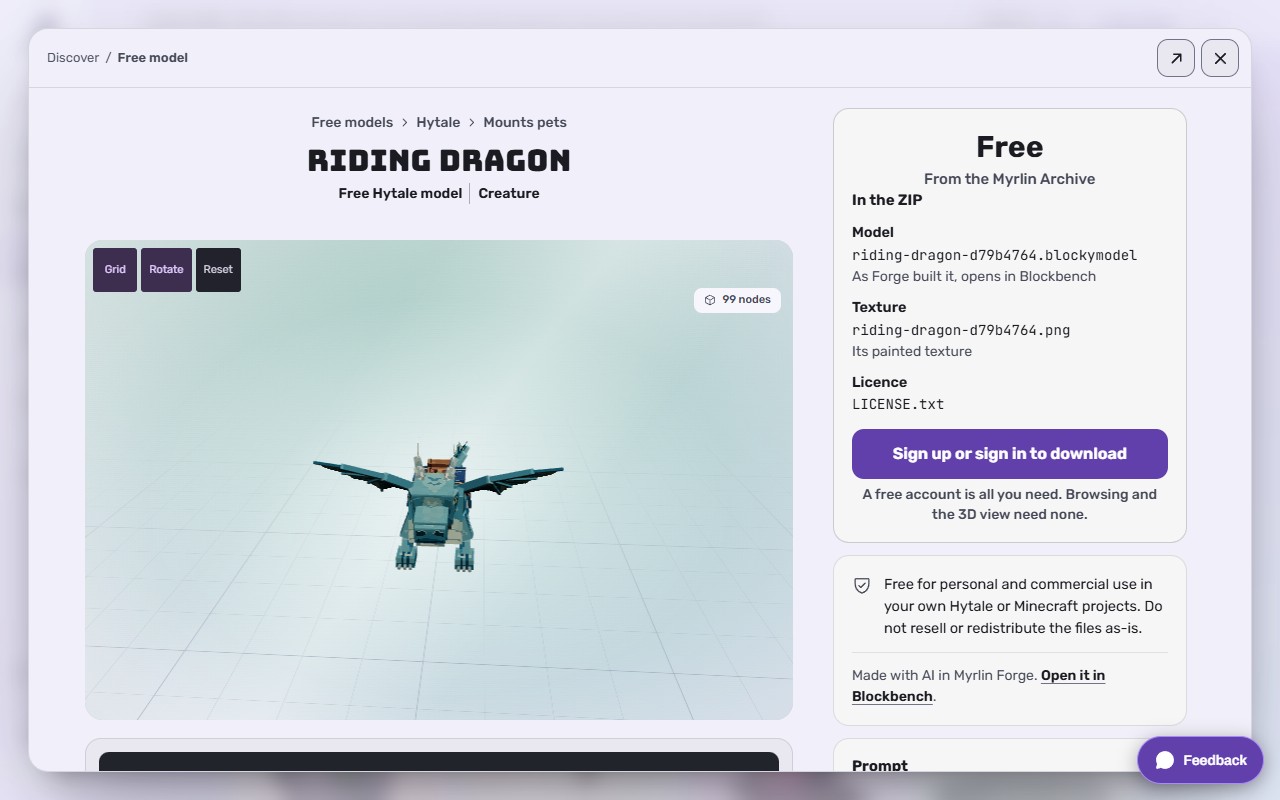
Press a card to open the model in a window. Spin it in 3D, read what each download holds, copy its prompt. Use the arrows for the previous or next model, the arrow out to Open the full page, and x to go back to Discover.
 (opens the full picture in a new tab)
To get it, use the Get this model card: free models need an account (Free models: Myrlin's Archive); a member's model costs 6 credits and needs a plan (Models made by other members (6 credits)).
On a phone
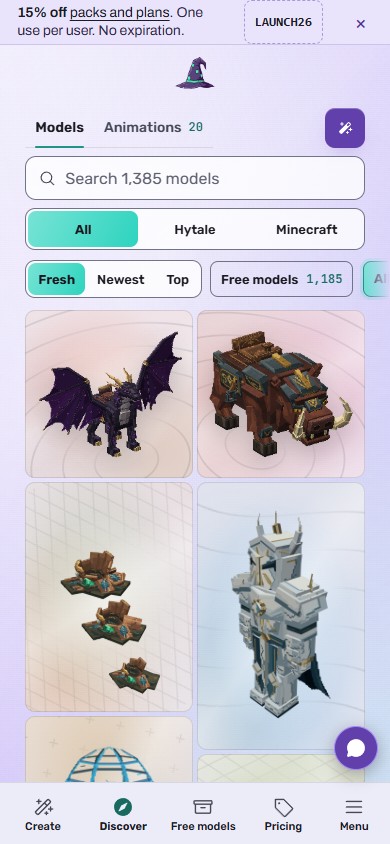
The filters sit under Filters; cards fill the width; the model opens full screen.
 (opens the full picture in a new tab)
What it costs
Browsing, searching and the 3D view are free and need no account.
If it does not work
No results
Try a shorter word, or set Made for back to All.
The 3D view says "Loading model..." for long
Wait a few seconds; on a slow connection the picture shows first.
The window closed and you lost your place
The browser Back button returns to Discover where you were.
Still stuck? Contact support