Minecraft guide
AI texture generators for Minecraft: what they can and cannot do
Whether an AI texture works in Minecraft depends on what the picture alone does not show.
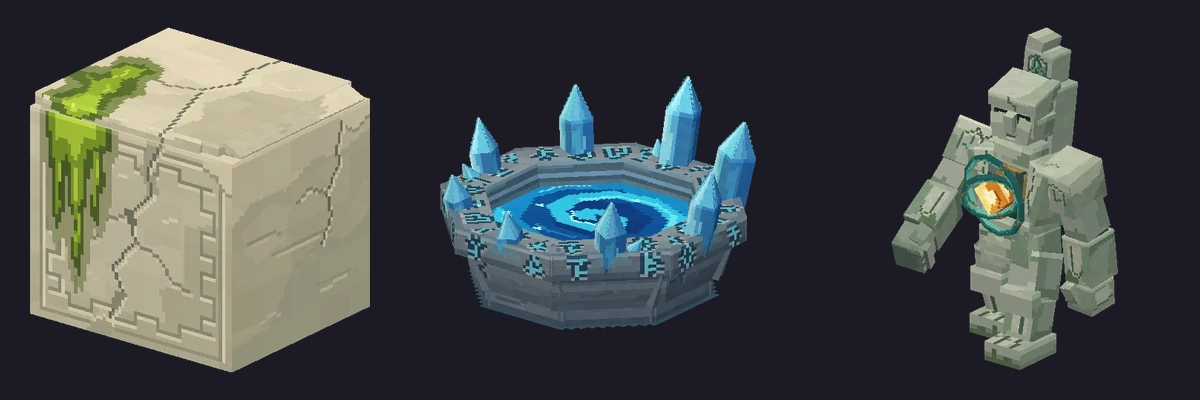
The short answer
A generator can paint the image; you still match the size and name of the texture it replaces, the UV layout of its model, seamless edges for blocks and a .mcmeta to animate it, and assemble any pack. Myrlin Studio paints textures for its own models, not packs.
On this page8 sections
Two different jobs: one texture or a whole pack
A Minecraft texture is a PNG. Resource packs change textures, models, music, sounds, languages and other assets without modifying the game’s code (Minecraft Wiki) and replace files by name: Microsoft’s tutorial warns that a new dirt texture must carry the same name as the one it replaces.
| Job | The file has to match | What stays with you |
|---|---|---|
| One model’s texture, a single PNG | That model’s UV layout | Checking every face, and edits |
| A replacement block or item texture | The name and pixel size it replaces, and its own edges when it repeats | Naming, sizing, testing in a world |
| A whole resource pack, many PNGs | Every file name and size, one palette and style, and pack.mcmeta | Choosing what to replace, assembling the folders, testing |
16 by 16
pixels in Microsoft’s replacement dirt texture
1
file every pack must have, the wiki says
pack.mcmeta
1/20 s
one game tick, the unit of frametime
Blockbench’s texture settings
Pixel size and the palette
One pack, or one model, needs one pixel density, or one part looks sharper than the next. Ask for the exact size or plan to scale down.
An image can look like pixel art without a real pixel grid, and then it will not scale down cleanly to 16 pixels. Pixel-art tools target the grid: Retro Diffusion (opens in a new tab) says its outputs “sit on a true pixel grid with a limited palette”, lists a model for “tiny sprites, icons and textures, 16 to 64 px” and offers a free Pixel Art Fixer that “finds the real grid, snaps every pixel to it and cleans the palette”; PixelLab (opens in a new tab) makes pixel art, tilesets and texture assets in the browser or, through an extension, in Aseprite.
Pixel art this small uses few colors, and a set looks like one pack when its textures share them; Retro Diffusion: “lock a palette and your whole set matches”. Blockbench’s Palette Swap plugin recolors families of shades, and Texture Downscaler says “Downscale textures non-destructively”.
UV fit: a texture belongs to one model
Each model face shows one rectangle of the texture, its uv ([x1, y1, x2, y2] in the Minecraft Wiki). Painted without that layout, details land in the wrong places: a face on the back of a head, a stripe cut at a seam between cubes.
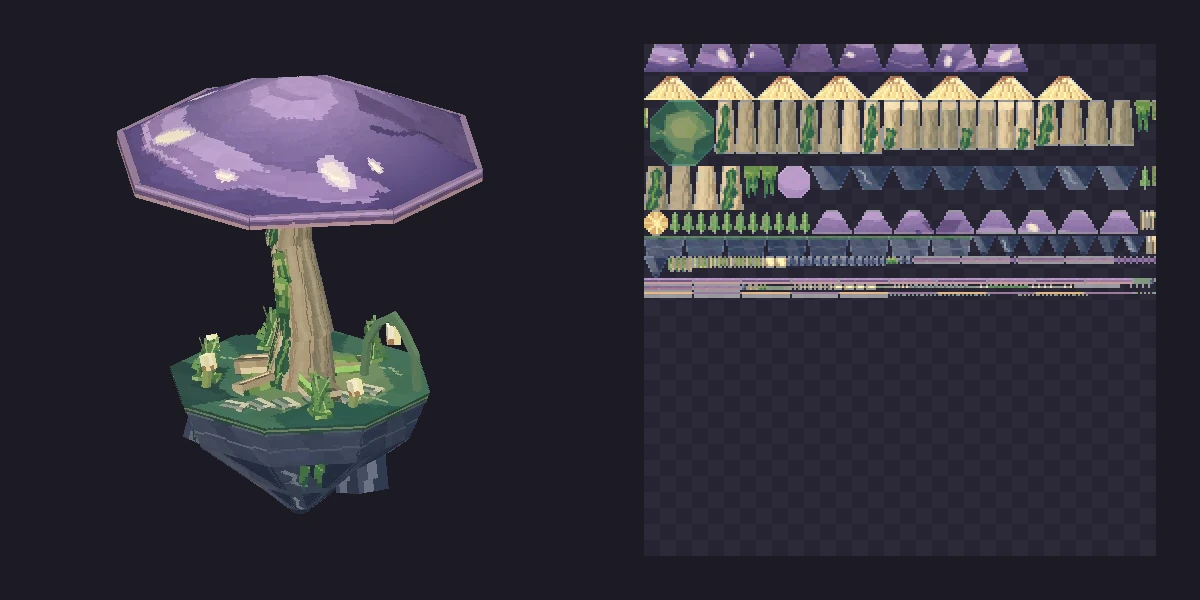
- Step 1
Lay out a template
In Blockbench, choose the type Texture Template; it follows the model’s UV map.
Create Texture, then Texture Template
- Step 2
Paint over it
Export it and paint over it with a generator or by hand.
- Step 3
Load it back
Load the painted file onto the model.
Textures in Blockbench covers importing, applying and copying; AI plugins and AI tools for Blockbench, assistants that paint in the editor. Its plugin list had no AI texture generator on 24 November 2026.
A generator that builds the model paints for its own layout: Myrlin Studio does, and in the browser Studio Workbench you can change the UV layout and pixels or download the .bbmodel. It makes no texture packs, replacement textures for the game’s blocks, or player skins.
Tiling: block textures repeat
A replacement block texture shows on every block of its kind (every dirt block, Microsoft’s tutorial notes), side by side, so its left edge must continue into its right and its top into its bottom, or the surface becomes a grid of seams.
Ask for seamless or tileable (Retro Diffusion lists “seamless tiling on X and Y”, PixelLab tiles “that fit seamlessly together”), then tile nine copies 3 by 3 in an image editor and look for lines and an obvious repeat. Single-model textures do not tile.
Animated textures and .mcmeta
In Java Edition an animated texture is one PNG with its frames stacked below the first, plus a file named like it with .mcmeta added: the wiki’s example gives stone.png a stone.png.mcmeta. A small one:
{
  "animation": {
    "frametime": 2,
    "interpolate": true
  }
}frametime: how long each frame shows, in game ticks.interpolate: the game makes in-between frames when a frame lasts longer than one tick.frames: a custom order; without it, first to last.widthandheight: one frame’s size; without them, frames are assumed square.
The pixel-art sites animate as sprite sheets (PixelLab for characters, Retro Diffusion a looping sheet from one image); Minecraft wants same-size frames in one PNG, normally stacked. In a Java block or item project, Blockbench shows a texture’s Frame Time, Interpolate and Loop Mode, edits frames in its Flipbook Editor, and its desktop app writes the .mcmeta beside any texture saved with more than one frame.
Myrlin Studio’s Surface Motion adds animated UV textures (flowing lava, glowing runes, water, animated eyes) to a saved model. In Minecraft it “plays directly on supported UV surfaces”, its help says, and every export lists what it converted and what still needs setup.
How to check an AI texture before you use it
- Zoom in at real size: every pixel should be one flat square of one color. Soft edges and in-between shades mean no grid yet.
- Size, palette and light direction match the textures beside it, and a block tiled 3 by 3 shows no seams.
- On a model, turn it all the way around in Blockbench or the Workbench and check every face, especially where cubes meet.
- An animation has same-size frames and a .mcmeta name that matches the PNG exactly, extension included.
- In a test world, a pink and black box means it is not loading: check the pack is on, then the file name and folder.
Questions
- Can AI make a whole Minecraft texture pack?
- It can make the images; choosing what to replace, naming and sizing files, pack.mcmeta, folders and testing stay with you. Myrlin Studio does not make texture packs.
- Is there an AI texture generator for Blockbench?
- Not in Blockbench’s own plugin list on 24 November 2026. Paint in Blockbench, use an assistant through an MCP server, or import a texture made elsewhere from a Texture Template.
- What size should a Minecraft texture be?
- The size of the textures beside it; Microsoft’s tutorial makes a 16 by 16 pixel block texture.
- How do I animate a texture in Minecraft Java?
- Stack the frames in one PNG and add a same-name .mcmeta file, such as stone.png.mcmeta; Blockbench writes it in Java block and item projects.
- Does Myrlin Studio make Minecraft textures?
- It paints each model it builds (editable in the Workbench) and adds Surface Motion’s animated UV textures, but makes no texture packs, replacement block textures or player skins.
Sources
- Minecraft Wiki: Resource pack (opens in a new tab): What a resource pack is, pack.mcmeta, and the animated texture format.
- Minecraft Wiki: Model (opens in a new tab): The uv field of a model face.
- Microsoft Learn: Introduction to Resource Packs (opens in a new tab): The 16 by 16 dirt texture, file names and pack stacking.
- Blockbench source code (opens in a new tab): Texture Template, the Flipbook Editor and how the desktop app writes .mcmeta files, read on 24 November 2026.
- Blockbench plugin list (opens in a new tab): Palette Swap, Texture Downscaler, and no AI texture plugin on 24 November 2026.
- Retro Diffusion (opens in a new tab): Its own description of its pixel grid, palette, tiling and texture model, read on 24 November 2026.
- PixelLab (opens in a new tab): Its own description of its browser editor, Aseprite extension and tilesets, read on 24 November 2026.
- Myrlin Studio help: animations and effects (opens in a new tab): Surface Motion and how it plays in Minecraft, read on 24 November 2026.
- Myrlin Studio for Minecraft (opens in a new tab): The downloads and the Workbench, read on 24 November 2026.
Facts checked on .
Guides and pages