Minecraft guide
AI Minecraft build generators: builds, schematics and where models fit
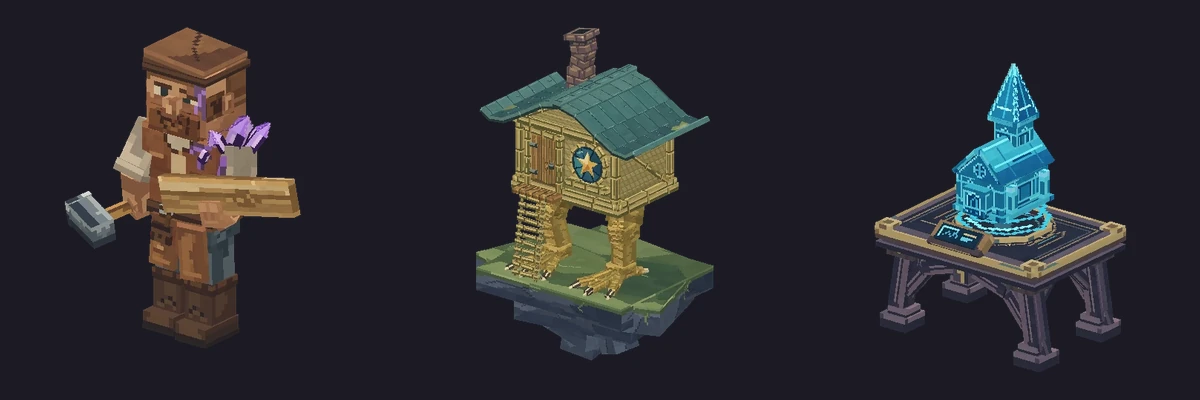
A build is made of Minecraft’s own blocks; a model is a new shape with its own texture.
The short answer
An AI build generator makes a structure of the game’s own blocks, such as a house, a castle or a tower, as a structure file or schematic, or places it in your world. Myrlin Studio makes models instead: a sword, a lantern, a creature.
On this page8 sections
A build and a model are different things
| Detail | A build | A model |
|---|---|---|
| What it is | Blocks the game already has (stone, planks, glass, stairs), each at a position | A new shape with its own texture |
| Examples | A house, a castle, a bridge | A sword, a lantern, a piece of furniture, a creature |
| File | A structure file (.nbt, .mcstructure) or a schematic (.schem, .litematic), reusable in any world | A Bedrock add-on, a Java resource pack or mod, or a .bbmodel for Blockbench |
| Into the game | A structure block, WorldEdit or Litematica places it in a world | You install the add-on, pack or mod |
| AI tools | The build generators below | Model generators such as Myrlin Studio |
What a build file is
The game’s structure block saves builds. On Bedrock, Microsoft Learn says it can “save and load blocks and entities”: a structure saved in memory loads only in that world, one saved to disk in other play sessions too, and Export saves a .mcstructure file on your device for another world. On Java, the Minecraft Wiki says each structure is an .nbt file in the world’s folder; structure blocks also load structures from data packs.
Schematics come from building tools. Since WorldEdit 7 (Minecraft 1.13), WorldEdit writes the Sponge format, .schem, and only imports older .schematic files, its documentation says. The Sponge Schematic Specification (opens in a new tab) exists to “serialize regions of a minecraft world to disk to be placed back into the world later”, modded blocks, block states and entities included. Litematica’s source also recognizes .schem, .schematic and vanilla .nbt.
| File | Edition | Made by | Placed with |
|---|---|---|---|
| .nbt | Java | Structure block | Structure block, Litematica |
| .mcstructure | Bedrock | Structure block Export | Structure block: Import, then Load |
| .schem | Java | WorldEdit and other Sponge-format tools | WorldEdit, Litematica |
| .litematic | Java | Litematica | Litematica |
How a build gets into a world
With a structure block
- Step 1
Get a structure block
In a creative world on Bedrock:
/give @s structure_block - Step 2
Import the file
In Load mode, click Import and pick a .mcstructure file from your computer; the block fills in its name and size.
- Step 3
Place it
Click Load.
Saved structures also load by command: Microsoft’s tutorial turns a saved house 90 degrees with /structure load house1 ~ ~ ~ 90_degrees, and the command also takes mirroring and an animation such as block by block. On Java, a structure block in Load mode places a saved structure by name and can rotate it.
With WorldEdit
- Step 1
Put the file in the schematics folder
plugins/WorldEdit/schematicson Bukkit, Spigot and Paper servers,config/worldedit/schematicselsewhere. It appears when you first save a schematic, or create it yourself. - Step 2
Load it
Into your clipboard:
//schem load <filename> - Step 3
Paste it
It lands relative to you as it sat relative to whoever copied it; files from other software may lack that offset, the docs note.
//paste
//paste -nselects the area a paste would fill without placing anything.//paste -oplaces the build where it was originally copied.//paste -aleaves out air blocks, so empty space does not replace blocks already there.
With Litematica
Litematica (opens in a new tab), a client-side schematic mod for Java, needs the malilib library mod. A loaded schematic shows in your world as a placement to build from by hand, or to paste in creative mode. It has a Material List, and a Schematic Verifier that lists missing, extra and wrong blocks against the schematic.
Kinds of AI build generators
Examples of each kind, from their own pages on 24 November 2026, not ranked; check each page for the game versions it supports.
A 3D model first, then blocks
ObjToSchematic (opens in a new tab) turns an uploaded OBJ or GLB model, or one it generates with AI from a picture or a description, into the blocks you allow, exporting formats such as .litematic, .schem and .mcstructure; its Java mod can paste the result straight into your world. Image to Minecraft covers this route from a picture.
A prompt that places the blocks for you
Builder - Ai (opens in a new tab), a Paper and Spigot server plugin, takes /ai build for a selected region, asks Google Gemini or Anthropic Claude (your API key goes in its config), checks the returned plan and places only vanilla blocks, block by block with an animation, bottom up by default. MC-AI-Build-Assistant (opens in a new tab), a Fabric mod, uses a local Ollama model or the OpenAI API; you review the design first, and blocks are placed as you approve them.
A blueprint from a chatbot you already use
OCK Blueprint Builder (opens in a new tab), a client-side Fabric mod, “does not generate structures inside Minecraft”, its page says. Give an outside AI chatbot its blueprint format, paste the returned JSON into its editor, and the build shows as a hologram to place by hand; a HUD tracks missing blocks and wrong block states, and a material calculator compares what it needs with what you carry. Results depend on the AI model and prompt, the page notes.
AI players that build
Mindcraft (opens in a new tab) connects language models from an outside AI service (your own API key) to bots that join a Java world opened to LAN; in its MineCollab construction tasks they build from blueprints. That needs the setting that lets the model write and run code, and the README warns: “Do not connect this bot to public servers with coding enabled.” It recommends Docker when that is on.
What to check in a generated build
- Where it will land:
//paste -nin WorldEdit; Builder - Ai builds only inside the region you select. - Which blocks it uses: ObjToSchematic lets you include or exclude blocks before converting. For survival, Litematica’s Material List, or OCK Blueprint Builder comparing it with your inventory.
- Whether your copy matches: Litematica’s Schematic Verifier also flags wrong block states, and OCK Blueprint Builder’s HUD catches a stair facing the wrong way.
- What the tool may do: keep Mindcraft’s code writing off on public servers. ObjToSchematic’s mod works on any server but pastes into the world only when the server runs it too.
Where a model generator fits
Myrlin Studio makes models from a description or a picture: a blocky 3D model with a painted texture to refine in the browser Studio Workbench, exported as a one-click Bedrock .mcaddon, Java resource pack, one-click Java mod jar, mod resources, server plugin files or a .bbmodel with PNG textures (step by step).
Even the tiny medieval house among the example briefs on the Minecraft page comes out as one model with a painted texture, not a structure of separate game blocks.
Questions
- Is there an AI that builds in Minecraft?
- Yes: Builder - Ai and MC-AI-Build-Assistant build from a prompt, ObjToSchematic converts a 3D model, OCK Blueprint Builder shows a chatbot blueprint as a hologram, and Mindcraft bots build from blueprints.
- What file does an AI Minecraft build generator give you?
- Usually a schematic or structure file: .schem, .litematic or .nbt on Java, .mcstructure on Bedrock. Some place the blocks in your world directly.
- How do I put a schematic into my Minecraft world?
- With WorldEdit, put it in the schematics folder, then //schem load and //paste; with Litematica, load it as a placement or paste in creative; on Bedrock (Windows), Import and Load a .mcstructure in a structure block.
- What is the difference between a Minecraft build and a model?
- A build is the game’s own blocks placed in a world, such as a house; a model is a new shape with its own texture, such as a creature, installed as a pack, add-on or mod.
- Can Myrlin Studio make Minecraft builds or schematics?
- No. It makes models (add-ons, packs, mod jars, mod resources, server plugin files, .bbmodel files), not builds, structures, schematics or worlds.
Sources
- Microsoft Learn: Introduction to Structure Blocks (opens in a new tab): Bedrock structure blocks, saving, and .mcstructure export and import; the page was last updated on 27 February 2025.
- Microsoft Learn: Structure Blocks and the Structure Command Tutorial (opens in a new tab): The /structure save and load commands.
- Minecraft Wiki: Structure Block (opens in a new tab): Java Edition structure files and loading from data packs.
- WorldEdit documentation: Clipboard (opens in a new tab): Schematic formats, the schematics folder, loading and pasting.
- Sponge Schematic Specification (opens in a new tab): What the .schem format stores.
- Litematica (opens in a new tab): Its README and source code: file types, placements, Material List and Schematic Verifier, read on 24 November 2026.
- ObjToSchematic (opens in a new tab): Its own description of inputs, AI generation, palette, exports and mod, read on 24 November 2026.
- Builder - Ai on Modrinth (opens in a new tab): Its own description, read on 24 November 2026.
- MC-AI-Build-Assistant on Modrinth (opens in a new tab): Its own description, read on 24 November 2026.
- OCK Blueprint Builder on Modrinth (opens in a new tab): Its own description, read on 24 November 2026.
- Mindcraft (opens in a new tab): Its README and MineCollab notes, read on 24 November 2026.
- Myrlin Studio: AI Minecraft model generator (opens in a new tab): What Myrlin Studio makes and exports, read on 24 November 2026.
- Myrlin Studio: picture to Minecraft model (opens in a new tab): The picture route, read on 24 November 2026.
Facts checked on .
Guides and pages