Minecraft guide
How to add a custom model to Minecraft: Java, Bedrock, servers and mods
Checked on 25 November 2026 against minecraft.wiki, Microsoft Learn and Blockbench’s own documentation.
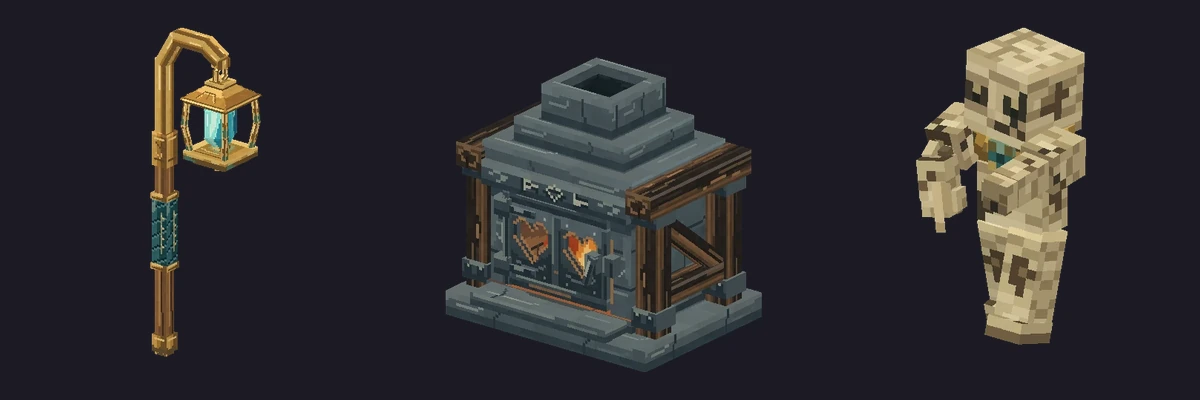
The short answer
Export in the Blockbench format the game reads: Java Block/Item for a Java resource pack, Bedrock Entity or Bedrock Block for an add-on. A Java pack holds pack.mcmeta, the model, its texture and, since 1.21.4, an items definition named by the item_model component. Bedrock needs a resource pack, plus a behavior pack for an entity. Java creatures need a mod.
On this page9 sections
Pick the format the game reads
Blockbench has a project format for each target, and the game reads only the one made for it; Generic Model is for game engines and renders, not Minecraft. Its Quickstart (opens in a new tab) suggests the format for what you are making.
| You want | Blockbench format | What loads it |
|---|---|---|
| A Java block or item | Java Block/Item (.json) | A resource pack, no mods |
| A Java creature or armor | Modded Entity (.java) or GeckoLib Model | A mod |
| A Bedrock creature | Bedrock Entity (.geo.json) | A resource pack and a behavior pack |
| A Bedrock item | Bedrock Entity, as an attachable | An add-on; the model shows only in hand |
| A Bedrock block | Bedrock Block (.geo.json) | A custom block in an add-on |
Making the model: make a Minecraft model with AI; painting it: Blockbench textures.
Java Edition: a resource pack
A Java resource pack is a folder or ZIP in .minecraft/resourcepacks, and its only required file is pack.mcmeta. Since 1.21.4 the game draws no line between block and item models, and a model is used only when a file in items or blockstates points to it.
my_pack/
  pack.mcmeta
  assets/
    example/
      items/lantern_staff.json         the items definition
      models/item/lantern_staff.json   the model Blockbench exported
textures/item/lantern_staff.png its texture- Step 1
Export the model
In a Java Block/Item project, save the JSON into
assets/example/models/item/.File, then Export, then Export Block/Item Model
- Step 2
Place the texture
Save the PNG in
assets/example/textures/item/; the texture path in the model JSON must point to it. - Step 3
Add the items definition
This file in
assets/example/items/tells the game which model to draw.{"model": {"type": "minecraft:model", "model": "example:item/lantern_staff"}} - Step 4
Give yourself the item
The
item_modelcomponent names the definition, so any item can wear the model./give @s stick[item_model="example:lantern_staff"] - Step 5
Turn the pack on
Put the folder or ZIP in
resourcepacksand move it to Selected; packs higher in the list win.Options, then Resource Packs
A resource pack only changes looks. To restyle a vanilla block, replace its model under the minecraft namespace; a new block is registered by a mod.
custom_model_data before and after 1.21.4
Older tutorials use a custom_model_data number with overrides in the vanilla item’s model; 1.21.4 removed overrides, so those packs stop working.
| Java version | How it works |
|---|---|
| 1.14 to 1.21.3 | A custom_model_data number, matched by overrides predicates in the vanilla item’s model file |
| 1.21.2 and 1.21.3 | Also the item_model component, which names a model at models/item/<id> |
| 1.21.4 and later | item_model names an items definition in assets/<namespace>/items/; custom_model_data holds floats, flags, strings and colors lists that the definition reads |
To switch a vanilla item’s model on a value, give it an items definition with a select on custom_model_data and the vanilla model as fallback (range_dispatch reads the floats, condition the flags):
{
  "model": {
    "type": "minecraft:select",
    "property": "minecraft:custom_model_data",
    "fallback": { "type": "minecraft:model", "model": "minecraft:item/stick" },
    "cases": [
      { "when": "lantern_staff",
        "model": { "type": "minecraft:model", "model": "example:item/lantern_staff" } }
    ]
  }
}/give @s stick[custom_model_data={strings:["lantern_staff"]}]Bedrock Edition: two packs for an entity
Microsoft’s entity guide (opens in a new tab) splits a mob in two: the behavior pack defines it, the resource pack’s client entity file says how it looks. “Both are required to add a new entity type to the game.” Each pack has a manifest.json with two UUIDs.
my_RP/
  manifest.json
  entity/robot.entity.json        client entity: geometry, texture, render controller
  models/entity/robot.geo.json    the geometry from Blockbench
  textures/entity/robot.png
my_BP/
  manifest.json
entities/robot.json behavior: identifier and components- Step 1
Export the geometry
The client entity calls the model identifier from the project settings
geometry.<name>. Save the file inmodels/entity/, the texture intextures/entity/.File, then Export, then Export Bedrock Geometry
- Step 2
Write the client entity
robot.entity.jsonlinks the identifier to the texture, the geometry and a render controller; most mobs can usecontroller.render.default. - Step 3
Write the behavior file
entities/robot.jsonin the behavior pack uses the same identifier, such assample:robot. - Step 4
Test it
Turn both packs on in a world with cheats enabled, then summon it.
/summon sample:robot
A custom block names its geometry in the minecraft:geometry component; from 1.21.80 such a block must also set minecraft:material_instances. Blockbench’s Bedrock Block format has no animations.
On a server
- Java: point
resource-packinserver.propertiesat a link to the ZIP, withresource-pack-sha1so clients can check it;require-resource-pack=truedisconnects players who decline it. - Bedrock Dedicated Server: packs in its top-level
resource_packsandbehavior_packsfolders serve every world, a world’s own folders only that world.texturepack-required=truemakes clients use them.
Through a mod: Fabric, Forge, NeoForge and GeckoLib
Mod loaders read the same model JSON: an item draws the model its client item names, a block the one in its blockstate file, and the mod registers both in code (Fabric (opens in a new tab), NeoForge (opens in a new tab)). Fabric API is Apache-2.0, Forge and NeoForge LGPL-2.1.
Creatures need more. Blockbench’s Modded Entity format writes Java model code, and GeckoLib (opens in a new tab), an MIT library for Fabric, Forge, NeoForge and Quilt (Modrinth (opens in a new tab), updated 23 November 2026), renders and animates them. Its Blockbench plugin, GeckoLib Models & Animations, adds the project type; the .geo.json goes in assets/<modid>/geckolib/models/, the .animation.json in assets/<modid>/geckolib/animations/, and the entity and its renderer are Java code.
A jar without writing code: make a Minecraft mod with AI.
When the model does not show
Limits worth knowing
3 × 3 × 3
blocks, the most a Java block or item model spans
-16 to 32 on each axis
30 px
each side of the box a Bedrock block model fits in
250 MiB
the largest Java server resource pack
- Magenta and black checkerboard: the missing texture; the texture path in the model or Bedrock client entity matches no PNG. A whole checkered cube is the missing model: no valid model or items definition.
- Pack marked incompatible: its
pack.mcmetaformat does not suit your version. From 1.21.9 the file usesmin_formatandmax_formatinstead ofpack_format; Pack format (opens in a new tab) lists the numbers. - Model cut off or refused: Java elements stay between -16 and 32 on each axis, and Blockbench warns when a format “limits the canvas to 48 units”. Split it, use a Bedrock entity or a mod, or slim it down.
- Bedrock entity missing: the identifier must match in both packs, and Microsoft warns that “Incorrect format versions are a frequent source of errors.”
Myrlin Studio writes the packs for you
Myrlin Studio, ours, builds a blocky, painted model from words or a picture in about 4 to 7 minutes on average and writes these files for you: a one-click Bedrock .mcaddon, a Java resource pack with a give command, a one-click mod jar (creatures also need GeckoLib), mod resources for your own Fabric, NeoForge or Forge project, server plugin files, or a .bbmodel.
Questions
- How do I add a custom model to Minecraft Java?
- Put the Blockbench JSON and its texture in a resource pack with pack.mcmeta, add an items definition (1.21.4 and later), and give an item the item_model component that names it.
- Does custom_model_data still work?
- Yes, in a new form. Since 1.21.4 it holds lists of floats, flags, strings and colors that an items definition reads; the old number with overrides works up to 1.21.3.
- Can I add a custom mob to Java without mods?
- Not with a resource pack: Java cannot change entity models, apart from item frames. Use a mod with GeckoLib, or a data pack of display entities such as the Animated Java plugin (AGPL-3.0) exports.
- Why is my model a purple and black checkerboard?
- That magenta and black pattern is Minecraft’s missing texture: the model points to a texture that is not in the pack. A whole checkered cube means the model itself is missing.
- How do I add custom models to a server?
- On Java, host the pack ZIP and set resource-pack in server.properties. On Bedrock Dedicated Server, put the packs in its resource_packs and behavior_packs folders.
Sources
- Minecraft Wiki: Model (opens in a new tab): Block and item models since 1.21.4, the -16 to 32 element range, the removal of overrides and which entities can be remodeled.
- Minecraft Wiki: Items model definition (opens in a new tab): The items folder, model, select, condition and range_dispatch types, custom_model_data properties, added in 1.21.4.
- Minecraft Wiki: Data component format (opens in a new tab): item_model (added in 1.21.2) and custom_model_data (lists since 1.21.4), with give examples.
- Minecraft Wiki: Resource pack (opens in a new tab): Where packs go, load order, the folder layout and server packs.
- Minecraft Wiki: Pack format (opens in a new tab): pack_format, min_format and max_format, and the incompatible warning.
- Minecraft Wiki: pack.mcmeta (opens in a new tab): The fields of pack.mcmeta.
- Minecraft Wiki: server.properties (opens in a new tab): resource-pack, resource-pack-sha1, require-resource-pack and the 250 MiB limit.
- Minecraft Wiki: Missing textures and models (opens in a new tab): The checkerboard and the missing model.
- Microsoft Learn: Creating New Entity Types (opens in a new tab): The two packs, file names, client entity, render controller and format versions.
- Microsoft Learn: Introduction to Resource Packs (opens in a new tab): The manifest and its UUIDs.
- Microsoft Learn: minecraft:geometry (opens in a new tab): Block geometry and the 1.21.80 rule.
- Microsoft Learn: Getting Started with Bedrock Dedicated Server (opens in a new tab): Shared and per-world pack folders.
- Microsoft Learn: Bedrock Dedicated Server properties (opens in a new tab): texturepack-required.
- Blockbench Wiki: Formats (opens in a new tab): What each format makes, exports and supports.
- Blockbench Quickstart (opens in a new tab): Format advice, attachables, the Bedrock block size and Java entity limits (page source in the blockbench.net repository).
- Blockbench source code (opens in a new tab): GPL-3.0. The export menu and the 48 unit canvas message, read on 25 November 2026.
- Fabric Documentation: Creating Your First Item (opens in a new tab): Model, texture and client item files. Fabric API is Apache-2.0.
- NeoForged Documentation: Models (opens in a new tab): Client items and blockstate files. NeoForge is LGPL-2.1; Forge is LGPL 2.1 per its license file.
- bernie-g/geckolib (opens in a new tab): MIT. What GeckoLib does and its loaders.
- Modrinth: GeckoLib (opens in a new tab): MIT; Fabric, Forge, NeoForge and Quilt; updated 23 November 2026.
- GeckoLib Wiki (opens in a new tab): The Blockbench plugin, the new project type and where the files go.
- Animated Java (opens in a new tab): AGPL-3.0; exports a resource pack and a data pack, display entities; release of 9 October 2026.
- Myrlin Studio for Minecraft (opens in a new tab): Build time, every Minecraft download and its limits, read on 25 November 2026.
- Myrlin Studio pricing (opens in a new tab): Free credits, the price of a model and which plans include downloads, 25 November 2026.
Facts checked on .
Guides and pages