Blockbench guide
Blockbench shape generator: how to make round and complex shapes quickly
In Blockbench, “shape generator” means a plugin of that name, the built-in mesh shapes or a whole-model generator; your format decides which helps.
The short answer
Minecraft or Hytale: the Shape Generator plugin’s 8 and 16-sided rings of rotated cubes. Generic Model: Add Mesh spheres and cylinders, plus MTools. A whole object: an AI generator building from cubes.
On this page9 sections
First, check your format
Only Generic Model has free-form geometry: “In this format, you can create low poly models using cubes and custom shaped meshes.” The catch: “Models cannot be loaded into games that need specialized formats, such as Minecraft.”
Minecraft formats are cubes; Blockbench’s Java Block/Item note adds “Rotations are limited to one axis per element” and a 3 by 3 by 3 block limit. Hytale’s .blockymodel is a tree of cubes and flat quads. There, spheres and cylinders are cube approximations.
| You are modeling for | What you can use |
|---|---|
| Renders or a game engine (Generic Model) | Add Mesh, MTools, and everything in the row below. |
| Minecraft Java or Bedrock, a modded entity, Hytale | Cubes only: the Shape Generator plugin, hand-rotated cubes, or an AI generator that builds from cubes. |
The Shape Generator plugin
Shape Generator, by dragonmaster95 (desktop and web), “Generates circular shapes”: an octagon (8 sides) or a hexadecagon (16 sides) of rotated cubes, solid or hollow.
- Step 1
Install it
Search for Shape Generator and install it.
File, then Plugins
- Step 2
Open the dialog
Without cube rotation it stops: “Incompatible Format”, “This plugin only works in formats that support cube rotations.”
Tools, then Generate shape
- Step 3
Set the shape
Octagon or Hexadecagon under Select shape, Hollow for a ring; the measure under Variable (Diameter/Length, Radius or Side) and its Value; then Height/Depth, Center Point and Axis.
- Step 4
Build on it
The result is ordinary cubes to move, resize and paint.
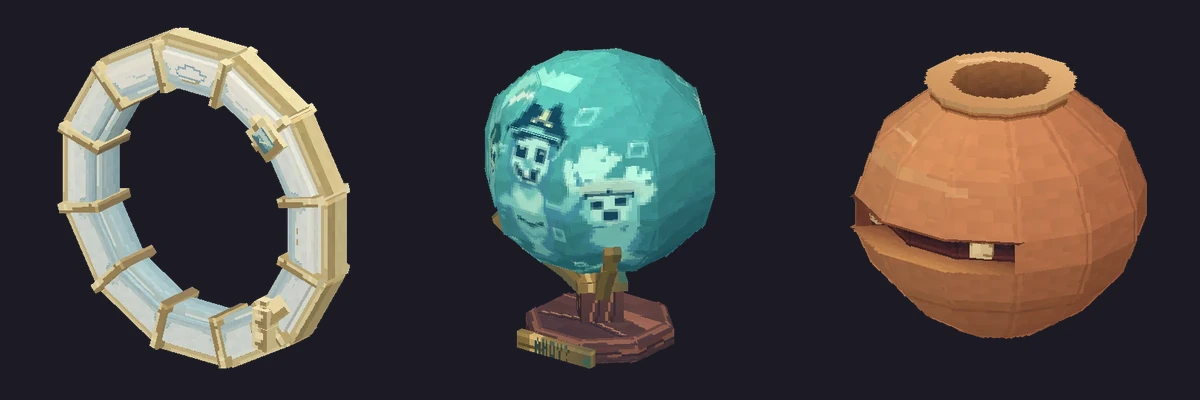
A 16-sided ring reads as round at Minecraft model size: wheels, pillars, barrels, portal frames. For a dome or a bulging barrel, stack rings of different diameters.
Built-in shapes: Add Mesh
Generic Model makes real round shapes with no plugin. Add Mesh (Edit > Add Element, or Action Control, the search for any action) has 13: Cuboid, Beveled Cuboid, Pyramid, Plane, Circle, Cylinder, Tube, Cone, Torus, Sphere, Icosphere, Octahedron and Dodecahedron. Diameter, Height and Sides set size and smoothness; fewer sides mean fewer faces and a lower-poly look.
MTools for meshes
MTools, by Malik12tree, “Adds powerful mesh modeling tools, operators and generators”, tagged for Generic Model, so the format rule applies.
- Generators: Terrain (with a Terrain Style Editor), Text Mesh, XYZ Math Surface, Polyhedron, Torus Knot and Quick Primitives.
- Operators: Subdivide, Split Edges, Scatter, Array and Boolean.
- Tools: To Sphere, Laplacian Smooth, Bridge Edge Loops, Poke Faces, Triangulate Faces and Triangles To Quadrilaterals.
A mesh back into cubes
Mesh to Cube Converter, by Ewan Howell, will “Detect cuboids within meshes and convert them into real cubes.” By that description it finds box-shaped parts, not a sphere to rebuild.
A different job: VoxelShape generators
VoxelShape Generators, Mod Utils, Shaper and Highlight Mod Shape Generator write collision or outline shapes for Minecraft Java mods from existing cubes, adding no geometry. One listing’s “Supports Mojang Mappings and MCP” means Mod Coder Pack mappings, not the Model Context Protocol of AI tools.
The whole object with AI
For a finished object (a barrel with hoops, a lantern, a creature), Myrlin Studio builds a cube-based model with a painted texture and a .bbmodel from a description or picture: about 4 to 7 minutes on average with Builder v2.0.
It is not parametric, so exact rings and cylinders come from the tools above; a generated object is a start to adjust in Blockbench. AI plugins and AI tools for Blockbench has more.
Questions
- Does Blockbench have a shape generator?
- Three: the Shape Generator plugin (8 and 16-sided shapes from cubes), Add Mesh (13 mesh shapes, Generic Model) and MTools generators (Polyhedron, Torus Knot, Terrain and more).
- How do I make a sphere in Blockbench?
- In Generic Model, Add Mesh, then Sphere or Icosphere. Minecraft and Hytale have no meshes: stack Shape Generator rings of different diameters.
- How do I make a circle or a cylinder for a Minecraft model?
- With Shape Generator: Tools, Generate shape, Octagon or Hexadecagon, Height/Depth for the length; Hollow for a ring or tube.
- Why does the Shape Generator plugin say Incompatible Format?
- Its message: This plugin only works in formats that support cube rotations.
- Can I use Add Mesh shapes in Minecraft?
- Not directly: Blockbench notes Generic Model models cannot be loaded into games that need specialized formats, such as Minecraft.
Sources
- Blockbench plugin registry (plugins.json) (opens in a new tab): Shape Generator, MTools, Mesh to Cube Converter and the VoxelShape plugins.
- Shape Generator plugin source (opens in a new tab): The shapes, the dialog fields and the Incompatible Format message.
- MTools about page (opens in a new tab): The list of tools, operators and generators.
- Blockbench source: interface text (opens in a new tab): The Add Mesh shape names and the format notes quoted above.
- Hytale’s .blockymodel format explained (opens in a new tab)
Facts checked on .
Guides and pages