The Hytale .blockymodel format, explained
A .blockymodel is the file a Hytale model lives in. It is plain JSON text: a tree of named nodes, each holding a cube or a flat quad, with the pixel offsets that map every face onto a PNG texture. This guide takes one apart, using a real model file you can download.
What a .blockymodel file is
Blockbench writes a .blockymodel through the Hytale Models plugin, the Blockbench plugin Hytale released for its models in December 2025. The game reads the file when an item, a block or a creature definition points at it. Hytale’s introduction to making models sets the art rules but does not describe the file itself, so this page explains it from a real file and from what the plugin reads and writes.
Hytale models use two shapes only: cubes, with six sides, and quads, flat two-sided planes. In the words of that post, “No spheres allowed!” There are no triangles, edge loops or meshes.
What is inside
The top level is a nodes array. Files exported by the plugin also carry a format of prop or character and an lod of auto.
- A node has an
id, aname, aposition(x, y, z), anorientationwritten as a quaternion (x, y, z, w), an optionalshapeand optionalchildren. The children make the hierarchy: moving a node moves everything under it. - A shape has a
typeofbox,quadornone(an empty group, often used as a pivot), anoffset, astretch,settingswith thesizeof a box or the facingnormalof a quad, atextureLayout, and the flagsvisibleanddoubleSided. - A shading mode per shape:
flat,standard,fullbrightorreflective. Fullbright suits parts that glow. - A face’s texture layout is a pixel
offsetinto the PNG, amirroron each axis and anangleof 0, 90, 180 or 270. There is no UV size: the area a face takes on the texture always matches the face’s size, as the plugin’s notes explain.
Here is one cube from the teapot below, with two of its six faces shown. It is 5 by 2 by 2 units, stretched slightly along x, and its front face starts at pixel 169, 77 of the texture.
{
  "id": "64",
  "name": "NeckFacet1",
  "position": { "x": 0, "y": 7.8865, "z": 0 },
  "orientation": { "x": 0, "y": 0, "z": 0, "w": 1 },
  "shape": {
    "type": "box",
    "offset": { "x": 0, "y": 0, "z": 0 },
    "stretch": { "x": 0.9525, "y": 1, "z": 1 },
    "settings": { "isPiece": false, "size": { "x": 5, "y": 2, "z": 2 } },
    "textureLayout": {
      "front": { "offset": { "x": 169, "y": 77 }, "mirror": { "x": false, "y": false }, "angle": 0 },
      "top": { "offset": { "x": 187, "y": 77 }, "mirror": { "x": false, "y": false }, "angle": 0 }
    },
    "unwrapMode": "custom",
    "visible": true,
    "doubleSided": false,
    "shadingMode": "flat"
  }
}
A real file, in numbers
The painted teapot is a model Myrlin Studio made with AI, published with its original files. Download model.blockymodel and texture.png to follow along in a text editor or in Blockbench.
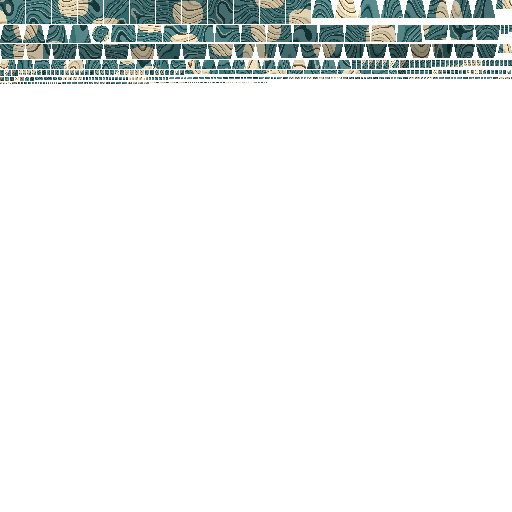
- 149 nodes: 46 cubes, 98 quads and 5 empty groups, nested three levels deep under one root node named
Origin, with groups for theNeck,Lid,HandleandSpout. - Every shape uses flat shading.
- One 512 × 512 PNG texture, a multiple of 32 pixels on each side as Hytale asks.
- The file has an
lodbut noformatfield. The limits guide explains how the plugin then chooses between Character and Prop.
How the PNG texture connects
A .blockymodel holds neither the image nor its file name. Only the face offsets point into it. So the model and the texture always travel as two files, and something else has to pair them:
- In desktop Blockbench, the plugin looks next to the model for a PNG whose name starts with the model’s file name, a PNG named
Texture.png, or a folder named after the model with_Textureson the end. If it finds none, it asks how to import textures, with Select Files, Select Folder and Skip. The web app does not search; import the PNG yourself. - In the game, the definition that uses the model names its texture: an item’s
Texture, a block’sCustomModelTextureor a model asset’sTexture(see the items, blocks and models references).
The plugin applies one texture to a model at a time (a project with attachments can hold more), and Hytale asks for texture sizes in multiples of 32 pixels. The limits guide has the pixel density rules.
What a .blockyanim clip holds
Animations are separate files with the .blockyanim extension, also JSON. A clip has a formatVersion, a duration, a holdLastKeyframe flag (hold the last pose instead of looping) and nodeAnimations, keyed by node name. Each node can have tracks for position, orientation, shapeStretch, shapeVisible and shapeUvOffset, made of keyframes with a time, a value and a smooth or linear interpolation. The plugin’s timeline runs at 60 frames a second.
Because a clip finds its nodes by name, renaming a node breaks the clip. Hytale’s Update 7 notes for modders rebuilt the food models and warned that “Custom animations that reference the old node names may break.” In the game, clips are used through item animations, a block’s CustomModelAnimation or a model asset’s AnimationSets.
How to open or view a .blockymodel
- Install Blockbench, or use the web app.
- Open File → Plugins, search for Hytale and install Hytale Models.
- Open the .blockymodel, then load its PNG if Blockbench does not find it.
The Blockbench walkthrough does this step by step with the teapot. To look at a model without installing anything, browser tools such as the MyHytale model viewer (view only) and the Hytale Garage BlockyModel editor open .blockymodel files too.
Converting OBJ, GLB or .bbmodel files
We found no tool that converts a mesh into a .blockymodel (searched 17 October 2026). A mesh is built from triangles and smooth surfaces, and a Hytale model only from cubes and quads, so a conversion is really a rebuild. Hytale’s Creative Tools can import an OBJ file into a world, but server hosts that document it describe the result as placed blocks, not a model file.
Myrlin Studio builds a new .blockymodel with AI from a description or a picture, with a PNG texture painted for it and saved .blockyanim clips when the model has animations. It does not convert an existing mesh. Start a Hytale model or see what it makes for Hytale.
Where the files go in an asset pack
In an asset pack, art files sit under Common/ and definitions under Server/. Hytale’s reference for 0.7.2 lists, for example:
- An item:
Server/Item/Items/<Id>.jsonwithModelandTexturepointing at files in a folder such asCommon/Items/. - A block with a model:
DrawTypeset toModel, withCustomModelandCustomModelTexture. - A creature or NPC: a model asset in
Server/Models/<Id>.jsonwithModel,Texture, a hitbox andAnimationSets.
Asset packs go in the Mods folder, and only the server or world host needs to install them. We have not tested each of these paths in the game; follow the linked references for the exact fields.
Questions
- What is a .blockymodel file?
- It is the file format of a Hytale model: JSON text holding a tree of named nodes, each a cube, a flat quad or an empty group, with the texture offsets of every face. Blockbench writes it with the Hytale Models plugin.
- Does a .blockymodel contain its texture?
- No. The PNG texture is a separate file. In Blockbench you load it beside the model; in the game the item, block or model definition names the texture.
- What program opens a .blockymodel file?
- Blockbench with the Hytale Models plugin, on desktop or in the web app. Browser tools such as the MyHytale model viewer can show one without editing it.
- Can I convert an OBJ, GLB or .bbmodel file to .blockymodel?
- We found no direct converter. A Hytale model is made only of cubes and quads, so a mesh has to be rebuilt from those shapes, by hand in Blockbench or from a description with a generator such as Myrlin Studio.
- What is a .blockyanim file?
- An animation clip for a Hytale model. It stores keyframes for nodes by their names, so a clip only plays on a model whose node names match.
Facts checked on 17 October 2026 against Hytale’s posts and docs for 0.7.2 (Update 7) and the source of the Hytale Models plugin 0.11.0 for Blockbench, not tested in the game. Hytale renames files and nodes between updates, so check the patch notes for anything newer.