Hytale guide
AI tools and MCP servers for Hytale, and whether Hytale uses AI
Every Hytale AI tool here is a community project or an outside service, described from its own pages.
The short answer
Hytale’s creatures use game AI, but we found no official Hytale AI tool, MCP server or policy on generative AI. Community MCP servers, agent skills and Blockbench helpers exist, and generators such as Myrlin Studio build the model.
On this page11 sections
Does Hytale use AI?
Its creatures do: game AI that picks what an NPC does next. A 2020 progress update (opens in a new tab) describes a “modular AI system” and a “utility system” in which NPCs weigh the value of each behavior; the modding post of 20 November 2025 (opens in a new tab) says NPCs, systems and behaviors run on data and code modders can influence. That AI picks actions, never art or text.
On generative AI we found no official policy, and no Hypixel Studios post on whether the team uses it to make the game. None of these mentions generative AI or AI-generated content:
| Document | Effective |
|---|---|
| EULA (opens in a new tab) | 13 January 2026 |
| Terms of Service (opens in a new tab) | 13 January 2026 |
| Community Guidelines (opens in a new tab) | 7 December 2025 |
| Support-a-Creator Program terms (opens in a new tab), version 1.1 | 18 March 2026 |
Two pages mention AI-generated content, narrowly. The security page (opens in a new tab), on vulnerability reports: “We do not accept reports that contain low-effort or AI-generated content.” A support article (opens in a new tab) lists “AI Content” as a Discord report reason: “A user is sharing AI-generated content that violates the Hytale Discord Rules.” Neither covers what you make for the game.
The modding post’s asset tools (Hytale Asset Editor, Blockbench plugin, Asset Graph Editor, machinima tools, creative tools) include no AI generator or MCP server; everything below comes from outside Hypixel Studios.
AI tools for Hytale at a glance
MCP, the Model Context Protocol, lets AI apps such as Claude Code, Codex or Cursor use outside tools. Most Hytale AI tools are MCP servers.
| Kind | Examples |
|---|---|
| Modding knowledge server | hytale-mcp, HytaleModding.dev MCP Server, Orbis Prism MCP, Hytale Modding RAG |
| Server plugin with MCP | PrefabMcp, Hytale MCP (Metrakit) |
| Agent skills | hytale-skills, hytale-agent-skills, blockbench-hytale |
| Blockbench MCP with Hytale export | BlockBenchMCP (RenasDemirbas) |
| AI model generator | Myrlin Studio |
MCP servers that help you write mods
None touch the game; they run on your computer so your assistant answers from Hytale docs and code, not memory.
hytale-mcp by eliasnvx
eliasnvx/hytale-mcp (opens in a new tab), MIT, searches the docs, looks up classes of the server’s Java API, lists events, entities, blocks and sounds, writes plugin and pack skeletons and checks a plugin.json or pack manifest. Nothing to install: your AI tool starts it with npx (the README covers Claude Desktop, Claude Code, Codex, Cursor, Windsurf and Antigravity).
claude mcp add hytale-mcp -- npx -y @eliasnvx/hytale-mcp
codex mcp add hytale-mcp -- npx -y @eliasnvx/hytale-mcp
Its data, from community sources (hytalemodding.dev, the Britakee Studios GitBook, the HytaleModding GitHub organization, hytale-docs.com), is fetched at package build time. The README says it may lag the latest Early Access build and is not affiliated with Hypixel Studios.
HytaleModding.dev MCP Server
jmrapp1/HytaleModding.dev-MCP-Server (opens in a new tab) serves the HytaleModding.dev docs through search_docs (matching pages and sections) and get_doc (a page as readable text). Build it with npm and register dist/index.js with Claude Desktop, Claude Code, Cursor or Windsurf; it runs locally over stdio.
Orbis Prism MCP
OrbisFactory/OrbisPrismMCP (opens in a new tab), MIT, finds your Hytale installation, decompiles the server and indexes the server API and the game’s assets (JSON, models and textures in Assets.zip) for Cursor, Claude or another MCP app. It needs an official installation, Python 3.11 or newer and Java 17 to 25; the README says it distributes no game source code or binaries.
pip install orbis_prism_mcp
prism ctx init --assets
prism mcp
Hytale Modding RAG
DanielVelezV/HytaleModdingRAG (opens in a new tab) gives Claude Code, as an MCP server, a knowledge base of the decompiled server API, the hytalemodding.dev community guides and open-source mod code. Its command line tool downloads a prebuilt index on first run (no decompiling yourself) and can lay out a new mod project with its Gradle build. A second repository, spectrewall/HytaleModdingRAG, installs from this one.
Orbis Prism and Hytale Modding RAG both read the decompiled server, as Hytale’s November 2025 modding post suggested: until Hytale can release the server source code, “the server is not obfuscated, so you can decompile it easily.”
MCP servers inside a Hytale server
PrefabMcp by willchil
willchil/hytale-prefab-mcp (opens in a new tab) runs an MCP server as a plugin inside a Hytale server. There an agent such as Claude Code, GitHub Copilot or Codex searches the block palette (mods included), writes a JavaScript build script, renders the prefab as a PNG to check it and publishes it for players. /prefab-mcp in the game shows the settings for your AI tool; building the plugin needs Java 25 and Maven.
Hytale MCP by Metrakit
Metrakit/hytale-MCP-plugin (opens in a new tab), MIT, connects OpenCode, Claude, ChatGPT, Gemini and other assistants to a Hytale server to place blocks in batches (building from a prompt), flatten ground, give items, search blocks, manage players, run server commands and read logs. It needs the Nitrado WebServer plugin; tokens with separate admin and player permissions go in mods/MCP/config.json.
Hytale QA MCP (opens in a new tab) runs automated test scenarios against an offline Hytale world on Windows for repeatable mod checks; HytaleRL (opens in a new tab), a reinforcement learning framework (a server plugin plus a Python environment), trains agents to survive, mine, build and fight.
Agent skills for Hytale
A skill is a folder of instructions your AI coding tool loads when a task calls for it.
- MnkyArts/hytale-skills (opens in a new tab), MIT, laid out for skills.sh: server plugin basics, blocks, items, entities, assets, events, networking, commands, UI windows and crafting recipes. Its README warns the content came from AI-assisted analysis, could be wrong and is not fully tested against a live server: a starting point, not authoritative documentation.
- Z3nLotus/hytale-agent-skills (opens in a new tab): packs, Blockbench modeling and animation, Java plugins, prefabs, textures, audio, effects, UI, world generation and server hosting. Its README suggests handing your assistant the repository link to clone; its
blockbench-mcpskill sets up enfp-dev-studio/blockbench-mcp (opens in a new tab) so the assistant can control Blockbench while modeling. - jasonjgardner/blockbench-mcp-project (opens in a new tab): a
blockbench-hytaleskill for Hytale models and animations (attachments, shading modes, quads, visibility keyframes) that drives that project’s Blockbench MCP server; it needs the Hytale Blockbench plugin.
npx skills add https://github.com/jasonjgardner/blockbench-mcp-project --skill blockbench-hytaleAI help with Hytale models in Blockbench
RenasDemirbas/BlockBenchMCP (opens in a new tab), GPL-3.0-or-later, needs the official Hytale Models plugin and uses its formats and file writers, so its files match Blockbench’s own Hytale export. The assistant starts a hytale_character project (characters, attachments) or hytale_prop (props, blocks); the .blockymodel export warns about anything Hytale shows differently, the animation export writes one .blockyanim per animation, and every step can be undone. To connect one: AI plugins and tools for Blockbench.
Myrlin Studio: a model generator with an MCP server
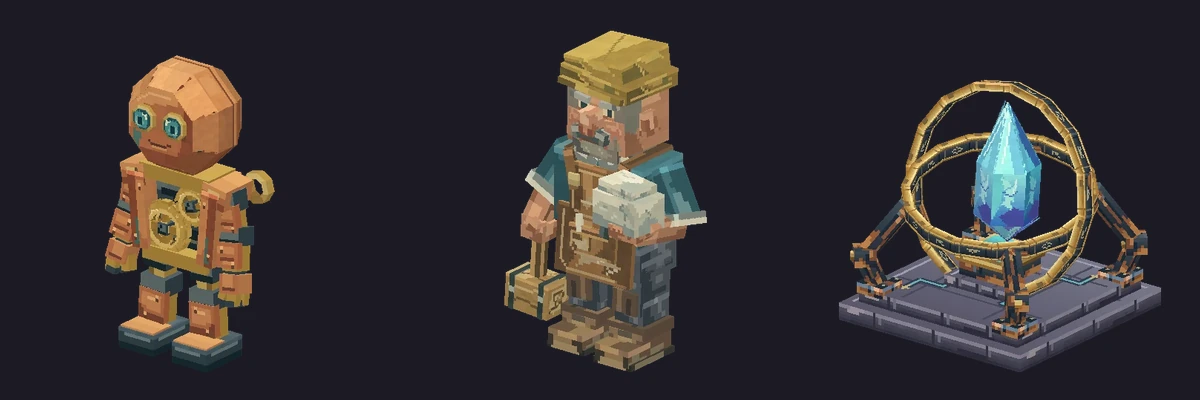
Myrlin Studio is ours: describe a creature, weapon, prop or piece of furniture, or add a picture, review the credit price, and it builds a new native .blockymodel from cubes and quads with a painted PNG texture, never a converted mesh. Edit parts, pivots and UV paint, or ask in chat, in the browser Studio Workbench, then download the .blockymodel, texture, a Blockbench .bbmodel project, saved .blockyanim clips and inventory images (real examples).
4 to 7 min
average Builder v2.0 build
0.7.4
Hytale version we tested the packs in
27 October 2026
1
MCP tool that spends credits
confirm_spend
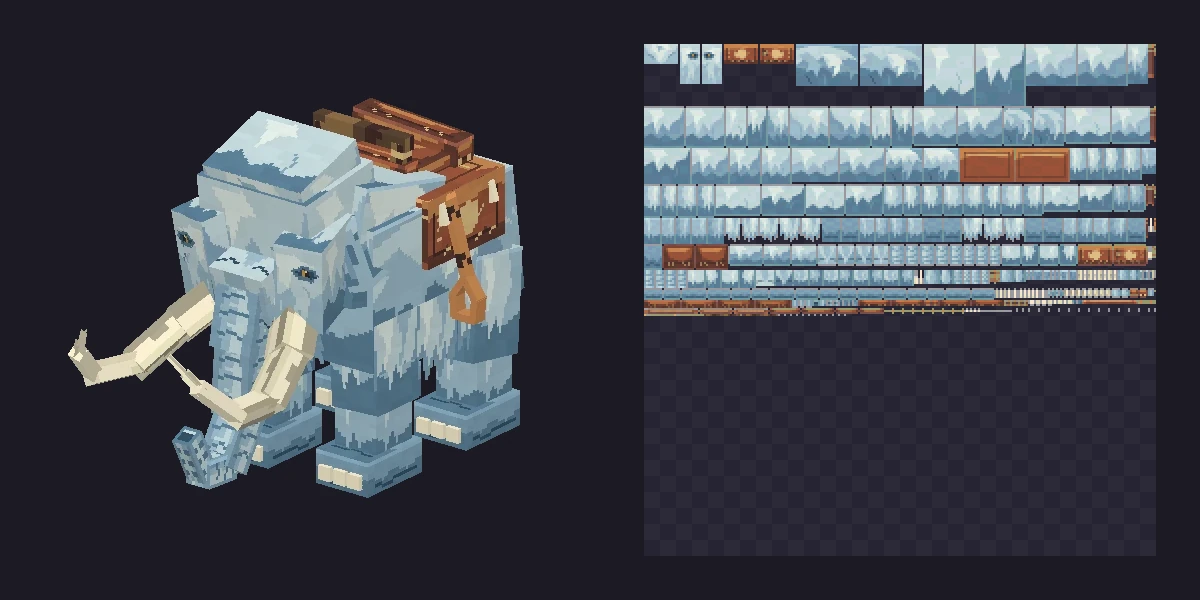
The Hytale download is a pack for your Mods folder. In our 0.7.4 test, sword, prop and item packs loaded, showed their texture and could be held or placed; creature packs loaded, walking not confirmed. Your project still needs your item, block or NPC definitions.
Our MCP server, https://api.myrlin.io/mcp, works with Claude, ChatGPT, Claude Code, Codex and other apps that take an HTTP MCP server. It lists your models, prices a model or a change (quote), builds once you approve (confirm_spend) and gives an install code and link for a Hytale pack of one or more models, which a coding tool can save straight into your Mods folder (Connect your AI).
Looking for the Hytale Model Maker?
Hytale showed its own Model Maker, a modeling, texturing and animation toolkit, in January 2019, then replaced it with Blockbench and the Hytale Models plugin. What happened to the Hytale Model Maker has the story.
Which one to pick
- Plugins or packs: a knowledge server, plus skills if your AI tool takes them.
- Building in a world: PrefabMcp or Hytale MCP, on a test world first.
- Modeling in Blockbench: BlockBenchMCP with the Hytale Models plugin.
- A finished, textured model: Myrlin Studio or another generator.
Questions
- Does Hytale use AI?
- Its creatures use game AI. On generative AI we found no official Hypixel Studios statement or policy as of 24 November 2026, and its terms do not mention it.
- Is there an official Hytale MCP server?
- We found none; the official creator tools in Hytale’s modding post include no MCP server. Those on GitHub are community projects.
- Can AI make Hytale models?
- Yes: a Blockbench MCP server with Hytale export, such as RenasDemirbas/BlockBenchMCP, or a generator such as Myrlin Studio, which builds and paints the .blockymodel.
- Can Myrlin Studio’s MCP server control Hytale or Blockbench?
- No. It connects your AI app to your Myrlin Studio account, not to the game, a Hytale server or Blockbench.
- Are these tools free?
- Most community projects here are MIT or GPL licensed; your assistant may need a paid plan. Myrlin Studio builds cost credits, priced before they start.
Sources
- Hytale: Progress Update, March 26 2020 (opens in a new tab): The modular AI system and the utility system for NPCs.
- Hytale: Hytale Modding Strategy and Status (20 November 2025) (opens in a new tab): Data-driven NPCs and behaviors, the list of official creator tools, and the note that the server can be decompiled.
- Hytale End User License Agreement (opens in a new tab): Effective 13 January 2026. No mention of generative AI on 24 November 2026.
- Hytale Terms of Service (opens in a new tab): Effective 13 January 2026. No mention of generative AI on 24 November 2026.
- Hytale Community Guidelines (opens in a new tab): Effective 7 December 2025. No mention of generative AI on 24 November 2026.
- Hytale Support-a-Creator Program terms (opens in a new tab): Version 1.1, effective 18 March 2026. No mention of generative AI on 24 November 2026.
- Hytale security page (opens in a new tab): The rule on AI-generated vulnerability reports.
- Hytale Support: How to Report Discord Rule Breakers (opens in a new tab): The AI Content report reason.
- iXBT.games: Hytale Lead Criticizes Roblox’s Focus on Generative AI (opens in a new tab): Press report, 9 February 2026, citing TheGamer and PCGamesN. Not an official statement.
- eliasnvx/hytale-mcp (opens in a new tab)
- jmrapp1/HytaleModding.dev-MCP-Server (opens in a new tab)
- OrbisFactory/OrbisPrismMCP (opens in a new tab)
- DanielVelezV/HytaleModdingRAG (opens in a new tab)
- willchil/hytale-prefab-mcp (opens in a new tab): The tools, the local-only default and the personal token setting.
- Metrakit/hytale-MCP-plugin (opens in a new tab)
- Joeyoey/HytaleQaMcp (opens in a new tab)
- 0xhypevida/HytaleRL (opens in a new tab)
- MnkyArts/hytale-skills (opens in a new tab): The skill list and the disclaimer.
- Z3nLotus/hytale-agent-skills (opens in a new tab)
- enfp-dev-studio/blockbench-mcp (opens in a new tab)
- jasonjgardner/blockbench-mcp-project (opens in a new tab): The blockbench-hytale skill.
- RenasDemirbas/BlockBenchMCP (opens in a new tab): The Hytale model workflow.
Facts checked on .
Guides and pages