Why we started Myrlin News, and what we’re building
Myrlin News is where we’ll tell you what’s changed in Myrlin Studio and what we’re building. Here’s what’s in the works, and how to tell us what you want first.
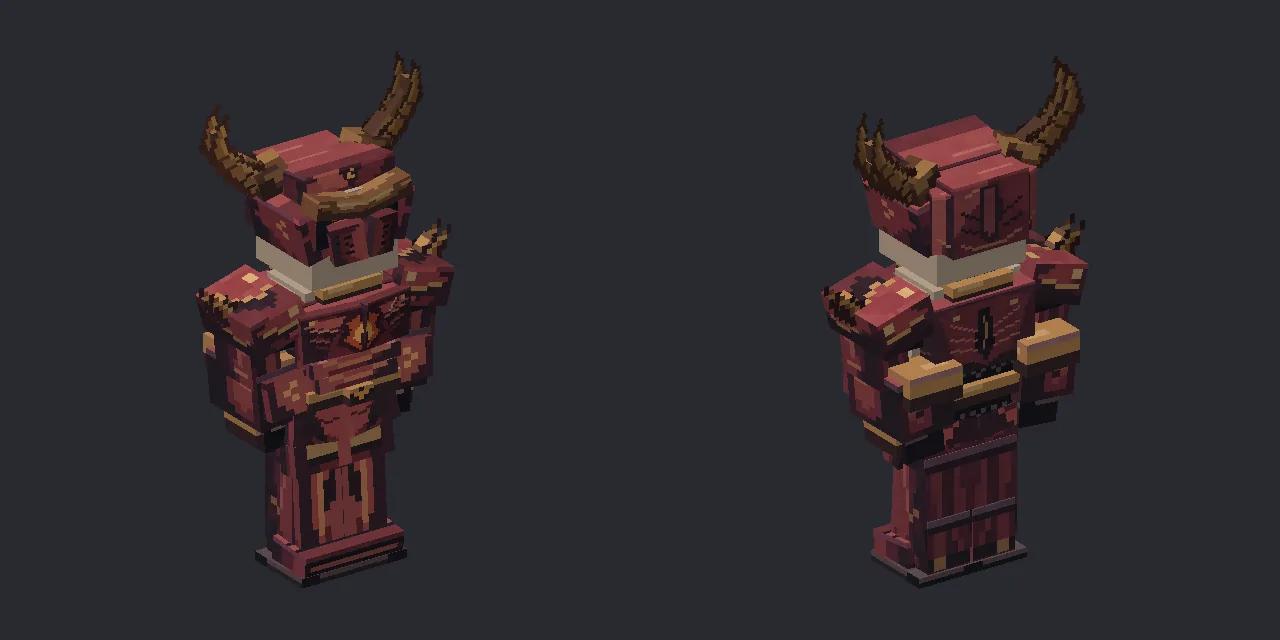
This is Myrlin News, written by the people who build Myrlin Studio. When something changes, like a new feature, a fix or a change to how credits work, we’ll write it up here with pictures. We’ll write about what we’re building before it’s ready, too, so you can tell us if we’re building the right things.
Here’s what’s in the works right now. Some of it’s built and our team is testing it. Some of it’s still a plan. None of it has a date yet, and we’ll post here when each piece opens.
A Discord community
We want somewhere you can talk to us and to each other, about what you’re making and what isn’t working. That’s going to be a Discord server, and it’s not open yet. When it opens, you’ll find the link here on Myrlin News, in the Help panel and on the Contact page.
A fuller community marketplace
Discover already shows models made by members. Since 4 November you can add one to your account for 6 credits. The member who made it gets 4 of them when they’re on a Creator plan or higher. You’ll need a Creator plan or higher to buy members’ models or to offer your own, too.
That’s the first step toward a marketplace. We’re working on a fuller one built around it, and we’d like to hear what you want from it before we build it.
Contests with rewards
We want to run building contests with rewards. The rules, prizes and dates aren’t set yet, so there’s nothing to enter today. We’ll post the rules here once they are.
Studio chat
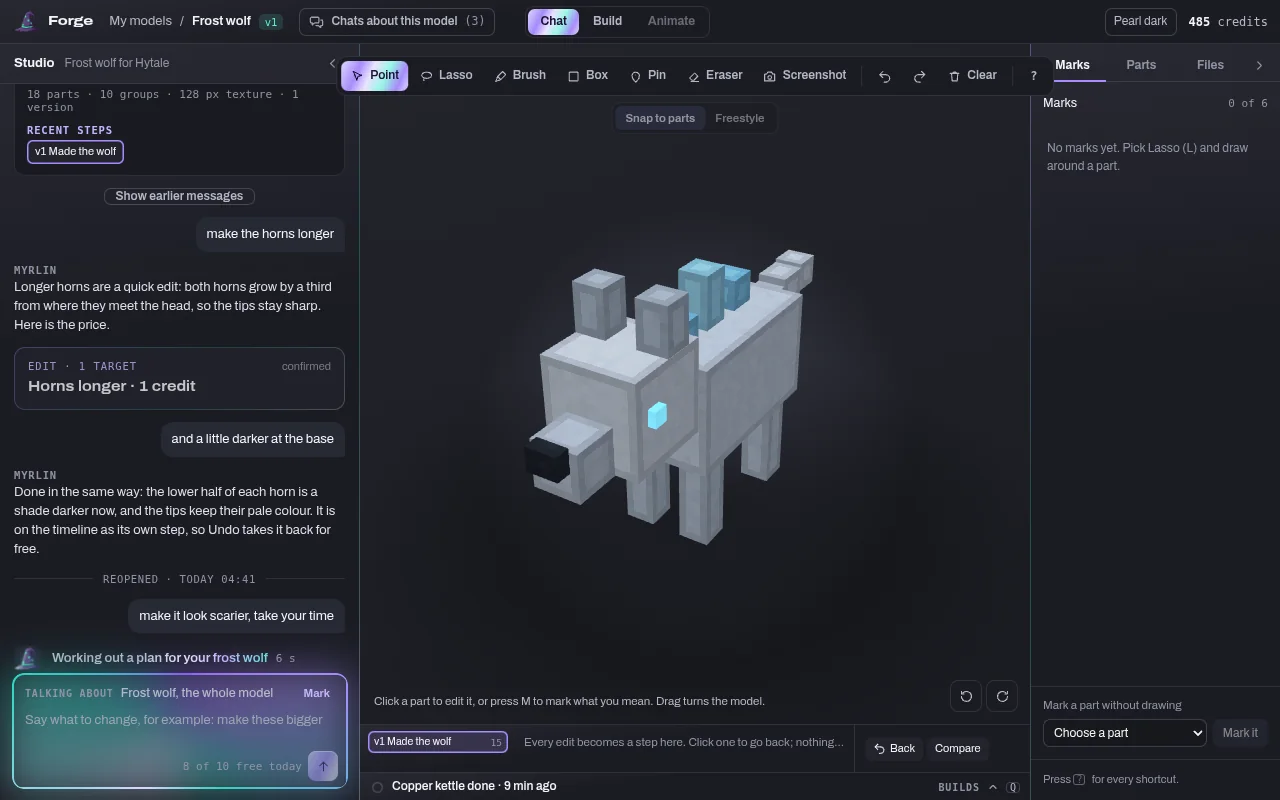
Studio chat is a new editor where you work on one model by talking to Myrlin. The chat sits right beside the model. Click a part, or mark it with Point, Lasso, Brush, Box or Pin, and say what you want, like “make the blade longer”. If Myrlin isn’t sure what you mean, it’ll ask. Every change becomes a step you can go back to, and anything that costs credits shows you the price before you confirm.
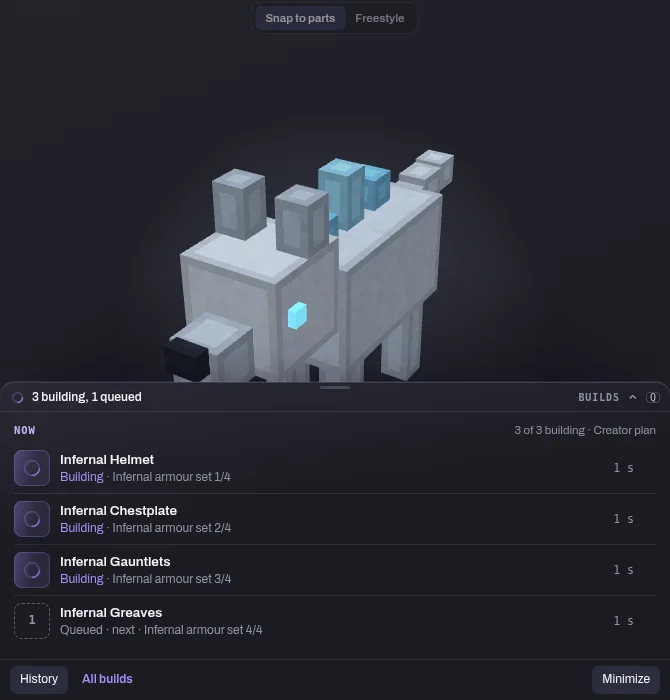
For bigger jobs, Myrlin can lay out a plan with several pieces, say a full set of armour. Untick what you don’t want, confirm, and the pieces build in the Builds dock under the model. The dock shows what’s building, what’s waiting its turn and what’s finished.
Studio chat’s built and the team is testing it now. The pictures below are from those tests, on a demo wolf we made for testing, so the replies and numbers in them are stand-ins.
Easier exports for armour and other things you wear
Right now every model downloads as a Hytale pack, as Minecraft Java files or for Blockbench. For armour, helmets, hats and anything else your character wears, we’re testing exports made for the job.
Wear it in Hytale
It’s a choice in the Hytale pack window. Pick the slot, nudge the fit, and the pack makes the piece something you can wear in the game.
Minecraft armour
A 3D helmet and a painted armour set, both from the same fit. Minecraft armour can’t do gloves, though.
Armour variants
Export settings and variants in My assets: set the kind of piece and its size for each game, and save variants of it.
These are all in testing with the team. One small piece is already out for everyone, though: hats face forward the right way in Minecraft downloads now.
One click to split, fit and convert
If you’ve made a whole armour set as one model, we’re testing a way to split it into the pieces a character wears: a helmet, a chestplate, gauntlets and greaves, each made from the set’s own parts and texture.
Then each piece gets fitted to the player figure, so it sits on the body where it belongs, and you can convert the pieces between Hytale’s and Minecraft’s formats. We want all of it to take one click: pick the model, get back pieces that are ready to wear.
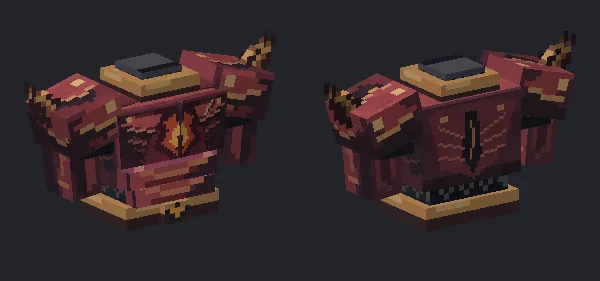
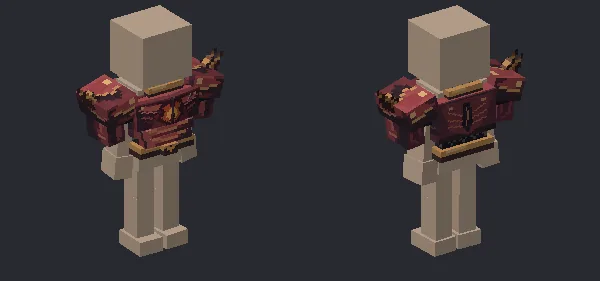
In our tests the split hands Hytale a pack for each piece plus one set pack, which is the one to use if you want to wear all four together. Minecraft gets one download with a 3D helmet and a painted chestplate, leggings and boots, and the gauntlets end up painted on the sleeves.
Not every set split cleanly at first. On one of ours the helmet came out far too big and the gauntlets and leggings didn’t fit the player, so we didn’t confirm it and no credits went on it. We’ve fixed that since: in our tests that set now splits into four pieces that fit. We’ve also worn both sets on a player in the real Hytale client. It’s all still in testing with the team.
And much more
There’s more on our list than fits in one post. Tell us which of these you want first, or what’s missing. The Feedback button at the bottom right of every page sends your note to the Myrlin team.