Builder v2.0, the Workbench, Bedrock add-ons, and previews
Builder v2.0 builds sharper models in about 4 to 7 minutes, the browser Workbench and AI chat are open, Minecraft exports now include Bedrock .mcaddon, and you can preview a look first.
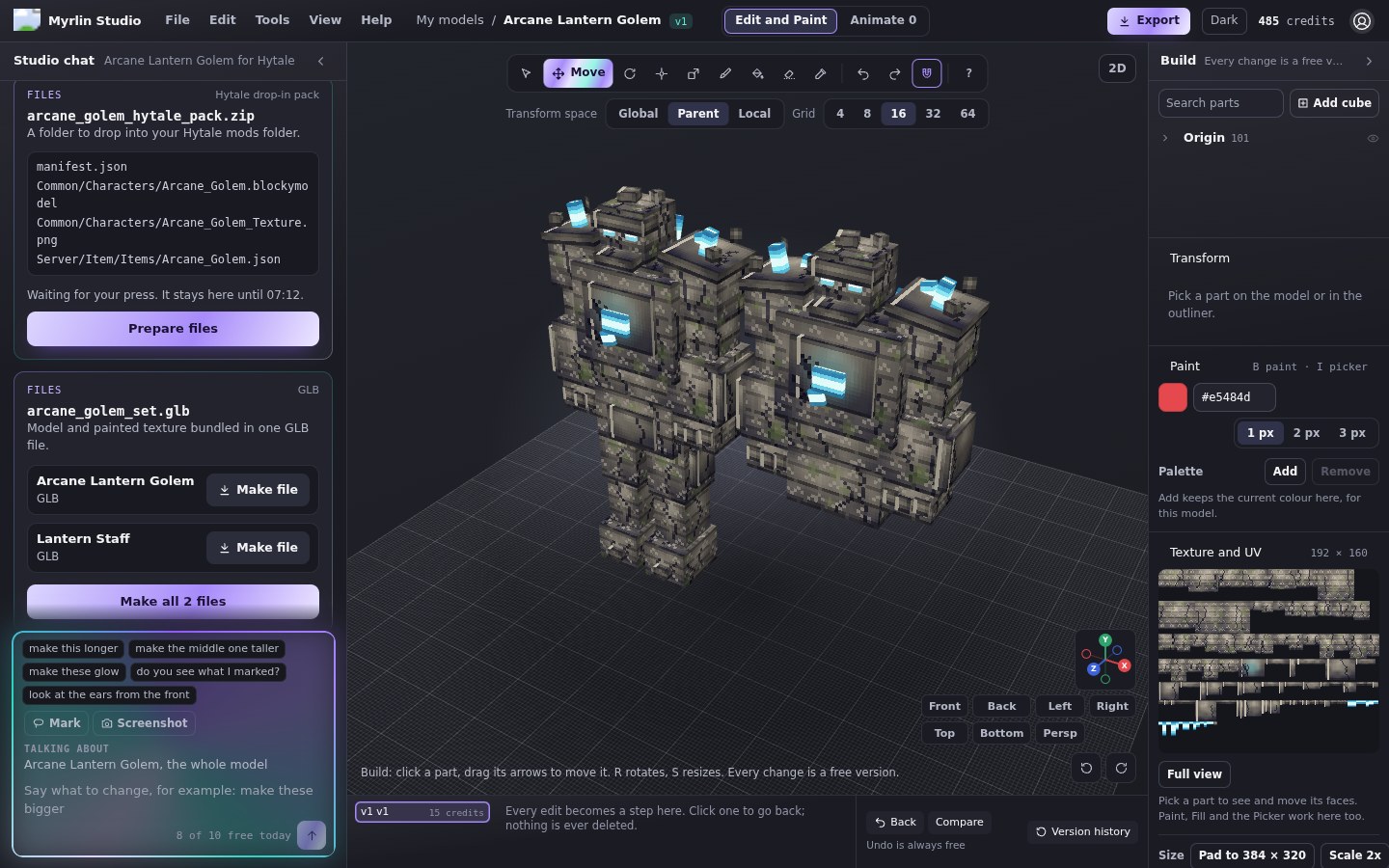
Huge week. Four things we've been testing on our own accounts are now open to everyone: Builder v2.0, the interactive Studio Workbench with live AI chat and file packages, Minecraft Bedrock .mcaddon exports, and Concept Previews.
If you tried Myrlin a couple of weeks ago and wished builds were faster, easier to tweak by hand, or ready for Bedrock, this is the update.
Builder v2.0: sharper detail, real block scale, half the wait
Builds used to take about 15 minutes. With Builder v2.0 as the default (20 credits), most builds now land in about 4 to 7 minutes, with straightforward builds often wrapping up right around 5 minutes. If you still want the older Builder v1.7 (15 credits), it's still right there in the builder menu.
The bigger jump is what comes out of the forge. Thin details like cloaks, leaves, fins and rune ribbons now render as clean double-sided cutout quads instead of chunky slabs. Glowing eyes and runes use proper fullbright shading, painted UV atlases stay crisp and tightly packed, and models stand flat on the ground (y = 0) instead of floating.
Scale is much more dependable now too. Tell it you want a prop "2x3x1 blocks" or a boss "3 blocks tall", and it measures the parts against real Hytale and Minecraft block proportions before finishing.
The Studio Workbench is open to everyone
Start a build in Create and it now opens straight inside the Studio Workbench. Instead of staring at a progress bar, you watch the parts and painted texture come together in 3D as the model builds.
Once it lands, you don't have to leave the browser to fix a small detail. Move, rotate, resize or add cubes in the outliner, paint straight onto the model or the 2D UV canvas, and step back through your version history anytime. Every manual edit saves as a free version.
New tools inside the Workbench
Freestyle Lasso, Symmetry, and Eraser
Circle any loose area in Freestyle mode instead of snapping to whole boxes, flip Symmetry on to edit left and right together, and use the Eraser to clean up marks or paint.
Bench AI Chat
Point at a part, lasso a region, or drop a screenshot right into Studio chat and say what you want changed. You get 10 free chat messages a day on a free account (40 on paid plans), and any paid edit shows its credit cost before you confirm.
File packages right in chat
Ask chat for a Hytale drop-in pack, a Blockbench .bbmodel, or a .glb and prepare or save it straight from the card. Downloads follow the same paid-plan rule as the Export button.
Preview the look before you build
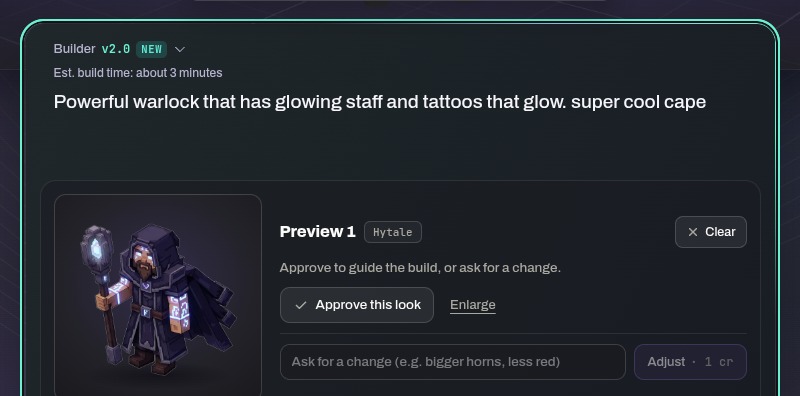
Several of you wrote in asking for a cheap way to check a model's silhouette and colours before spending 20 credits on a full 3D build. Concept Previews are now live for everyone.
Type your prompt in Create and hit Preview the look (1 credit). If it looks close, ask for a tweak right on the card (1 credit) or press Approve this look so the 3D builder follows it. Changed your mind? Press Clear on the card, or just submit a new build and the old preview clears itself automatically.
Minecraft Bedrock .mcaddon is live
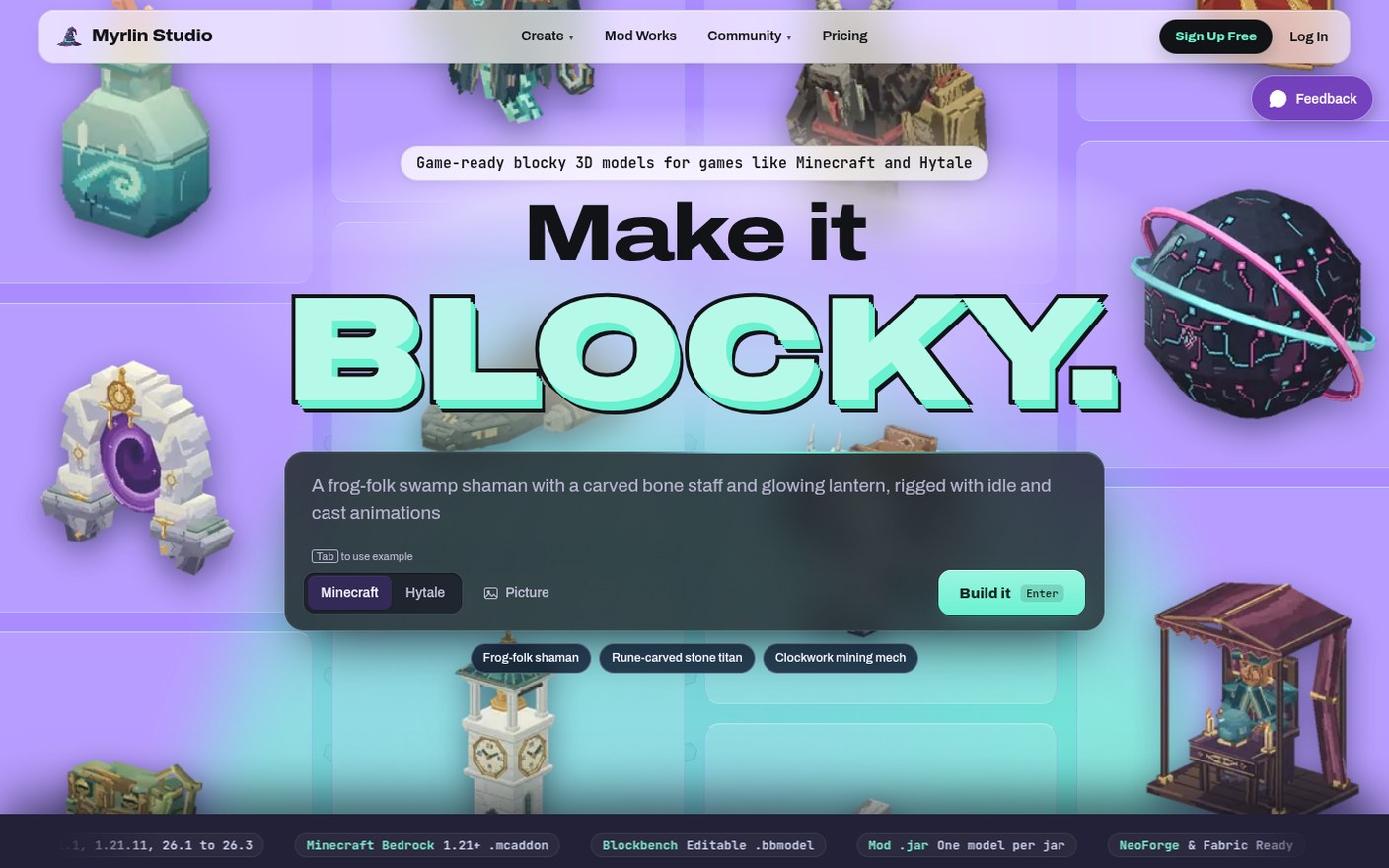
Minecraft exports aren't Java-only anymore. Alongside Java resource packs, data packs and one-click NeoForge / Fabric mod jars, you can now export a Minecraft Bedrock .mcaddon (1.21+) for items, blocks and mobs.
Download the .mcaddon file and double-click it to import straight into Minecraft Bedrock on Windows, Mac or mobile. You can see all supported formats on our Minecraft page.
Also shipped this week
- NewDescribe a multi-part scene or set in Create and split it into separate models that build in parallel and open straight in the Workbench.
- ImprovedAnimate and Effects turnarounds for Hytale models are noticeably faster across the board.
- ImprovedBrowsing Free models now filters, sorts and searches instantly in your browser without reloading the page. Free accounts still get 3 ready-made downloads a week.
- FixedTightened up the phone layout on the Workbench header and on My assets so Model and Concept image controls never overlap.
- FixedEditing your prompt after making a preview now gives you an inline Clear preview button instead of leaving the old preview stuck on screen.
What we're still working on
We haven't forgotten wearable Hytale armour rigged for specific body slots (helmet, chest, gloves, boots). That's still in internal testing, and we'll post here as soon as it's ready for everyone.
Hit something weird, or want a tool we don't have yet? Press Feedback on any page. We read every note.